スクリプトによる展開
インストールとライセンスのアクティベーションを1つの手順で自動化するには、以下のバッチスクリプトのいずれかを使用します。スクリプトはMicrosoft Marketplaceライセンスとキー方式のライセンスの両方に対応しています。
Microsoft Marketplaceスクリプト
これらのスクリプトは、サインインしているMicrosoftの職場または学校アカウントを使用してソフトウェアをインストールし、ライセンスをアクティベートします。デバイスはEntra IDに参加しているか、職場または学校アカウントでサインインしている必要があります。また、ユーザーにはMicrosoft 365管理センターでFile Viewer Plus Enterpriseのライセンスが割り当てられている必要があります。
- fvp7-install-activate-marketplace.bat (EXE version)
- fvp7-install-activate-marketplace-msi.bat (MSI version)
スクリプトを実行する前に、パラメーターinstaller_pathとinstall_dirを編集してください。
:: NOTE: You must run this script with admin privilege in order for the installer to run silently without displaying a Windows UAC permissions prompt.
:: NOTE: You must set the variables below before executing the script:
SET installer_path=C:\Users\Public\fvp_setup_7.0.0.10ent.exe
SET install_dir=C:\Program Files (x86)\File Viewer Plus Enterprise
アクティベーションキースクリプト
- fvp7-install-activate-online.bat (EXE version)
- fvp7-install-activate-offline.bat (EXE version)
- fvp7-install-activate-online-msi.bat (MSI version)
- fvp7-install-activate-offline-msi.bat (MSI version)
スクリプトを実行する前に、パラメーターinstaller_path、install_dir、activation_key、enterprise_lic_pathを編集してください(enterprise_lic_pathはオフラインアクティベーションの場合のみ必要です)。
:: NOTE: You must run these script with admin privilege for the installer to run silently without displaying a Windows UAC permissions prompt.
:: NOTE: You must set the variables below before executing the script:
SET installer_path=C:\Users\Public\fvp_setup_7.0.0.10ent.exe
SET install_dir=C:\Program Files (x86)\File Viewer Plus Enterprise
SET activation_key=XXXXX-XXXXX-XXXXX-XXXXX-XXXXX
SET enterprise_lic_path=C:\Users\Public\fvp7-enterprise.lic
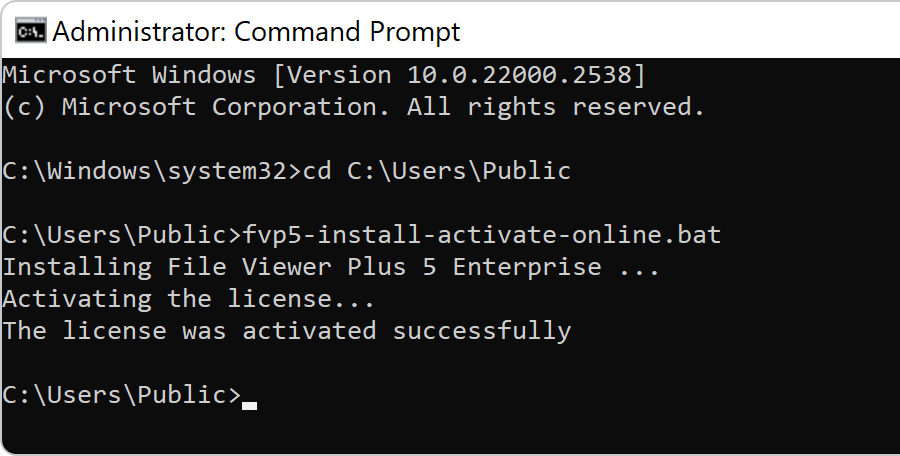
スクリプトが正常に完了すると、次の出力が表示されます。
Versions 5 and 6 (older versions)
Use the following scripts to deploy versions 5 and 6.
- fvp6-install-activate-marketplace.bat(EXE版)
- fvp6-install-activate-marketplace-msi.bat(MSI版)
- fvp6-install-activate-online.bat(EXE版)
- fvp6-install-activate-offline.bat(EXE版)
- fvp6-install-activate-online-msi.bat(MSI版)
- fvp6-install-activate-offline-msi.bat(MSI版)
- fvp5-install-activate-online.bat(EXE版)
- fvp5-install-activate-offline.bat(EXE版)
- fvp5-install-activate-online-msi.bat(MSI版)
- fvp5-install-activate-offline-msi.bat(MSI版)