脚本部署
如需在一个步骤中自动完成安装和许可证激活,请使用以下批处理脚本之一。这些脚本同时适用于Microsoft Marketplace和基于激活密钥的许可。
Microsoft Marketplace脚本
这些脚本会安装软件,并使用已登录的Microsoft工作或学校帐户激活许可证。设备必须已加入Entra ID,或已登录工作或学校帐户,并且用户必须在Microsoft 365管理中心中被分配File Viewer Plus Enterprise许可证。
- fvp7-install-activate-marketplace.bat (EXE version)
- fvp7-install-activate-marketplace-msi.bat (MSI version)
执行脚本前,请编辑参数installer_path和install_dir:
:: NOTE: You must run this script with admin privilege in order for the installer to run silently without displaying a Windows UAC permissions prompt.
:: NOTE: You must set the variables below before executing the script:
SET installer_path=C:\Users\Public\fvp_setup_7.0.0.10ent.exe
SET install_dir=C:\Program Files (x86)\File Viewer Plus Enterprise
激活密钥脚本
- fvp7-install-activate-online.bat (EXE version)
- fvp7-install-activate-offline.bat (EXE version)
- fvp7-install-activate-online-msi.bat (MSI version)
- fvp7-install-activate-offline-msi.bat (MSI version)
执行脚本前,请编辑参数installer_path、install_dir、activation_key和enterprise_lic_path(仅离线激活需要enterprise_lic_path):
:: NOTE: You must run these script with admin privilege for the installer to run silently without displaying a Windows UAC permissions prompt.
:: NOTE: You must set the variables below before executing the script:
SET installer_path=C:\Users\Public\fvp_setup_7.0.0.10ent.exe
SET install_dir=C:\Program Files (x86)\File Viewer Plus Enterprise
SET activation_key=XXXXX-XXXXX-XXXXX-XXXXX-XXXXX
SET enterprise_lic_path=C:\Users\Public\fvp7-enterprise.lic
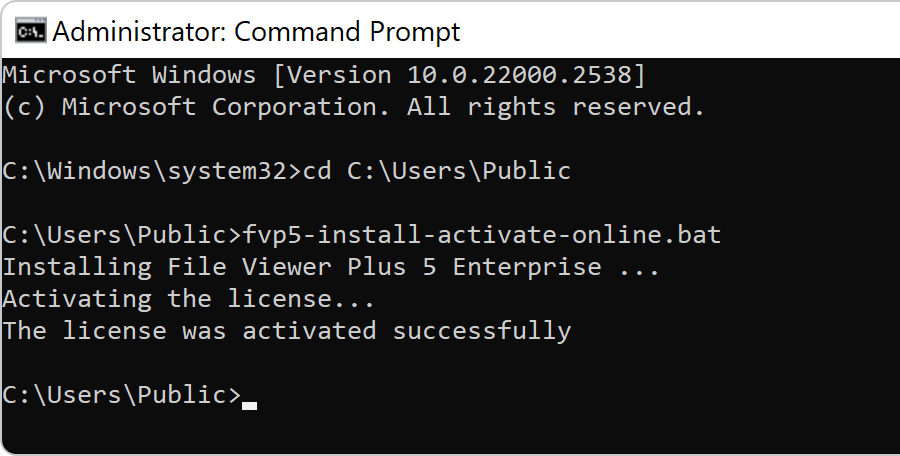
如果脚本执行成功,您将看到以下输出:
Versions 5 and 6 (older versions)
Use the following scripts to deploy versions 5 and 6.
- fvp6-install-activate-marketplace.bat(EXE版本)
- fvp6-install-activate-marketplace-msi.bat(MSI版本)
- fvp6-install-activate-online.bat(EXE版本)
- fvp6-install-activate-offline.bat(EXE版本)
- fvp6-install-activate-online-msi.bat(MSI版本)
- fvp6-install-activate-offline-msi.bat(MSI版本)
- fvp5-install-activate-online.bat(EXE版本)
- fvp5-install-activate-offline.bat(EXE版本)
- fvp5-install-activate-online-msi.bat(MSI版本)
- fvp5-install-activate-offline-msi.bat(MSI版本)