Open A2L files with File Viewer Plus
Do you need to open an A2L file?
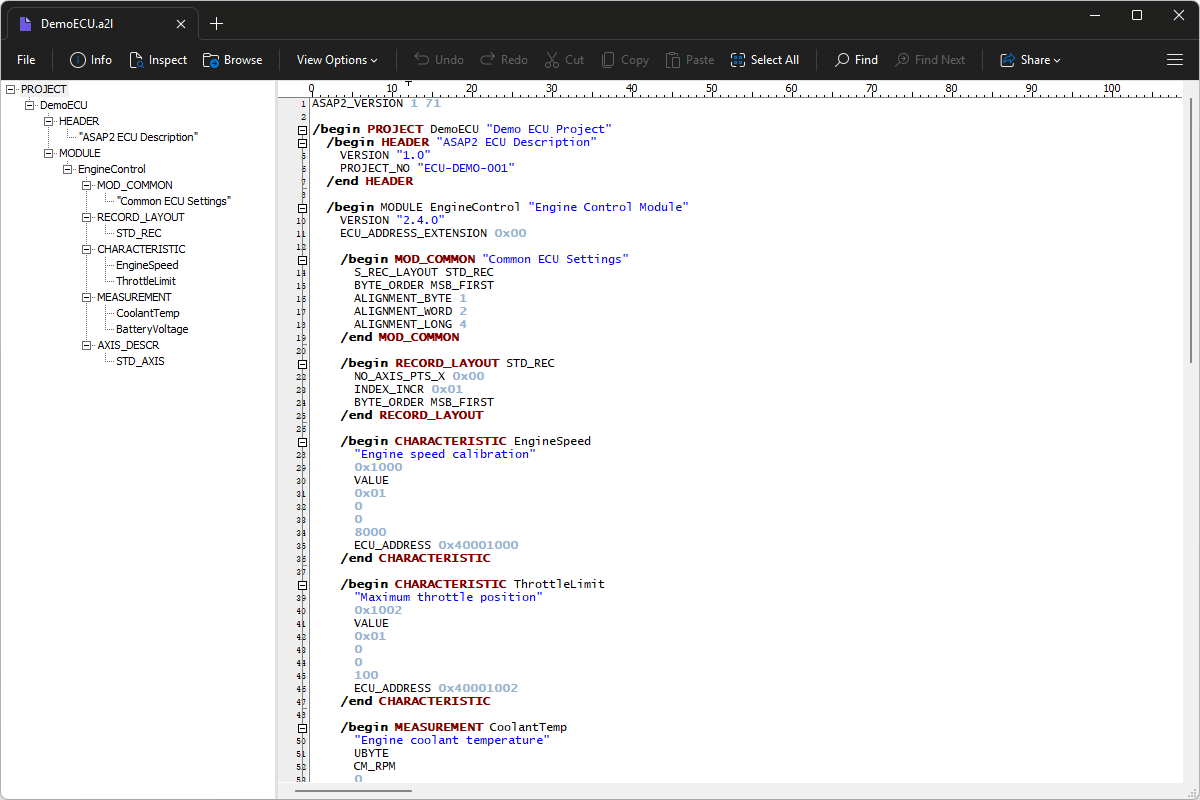
File Viewer Plus can open A2L (ASAP2 ECU Description) files and provides code-editing tools. The app also provides a syntax tree view that makes it easy to navigate the source code.
Open, edit, and save A2L files with File Viewer Plus. Download the free trial today and see how easily you can work with A2L files.
Free 14-day trial. 167 MB
What is an .A2L file?
A2L files are text-based description files used in automotive engineering to document an electronic control unit (ECU) structure and measurement information. They follow the ASAP2 standard and can describe ECU variables, measurement parameters, calibration settings, memory addresses, data types, and other information that development and calibration tools need to communicate with an ECU.
You may encounter A2L files when working on automotive software development, ECU testing, vehicle calibration, or engine control systems. Engineers and technicians commonly use them with measurement and calibration tools such as Vector CANape, ETAS INCA, and similar applications, where the files provide information about the ECU's internal data and calibration parameters. File Viewer Plus can open, edit, and save A2L files, making it useful for inspecting or modifying their text-based contents.
About File Viewer Plus
File Viewer Plus is the universal file viewer for Windows. Why pay for dozens of software programs when you only need one? Install File Viewer Plus, and you'll be able open 400 file types with a single app.
You can also edit, save, print, and convert your files. Unknown file on your PC? No problem — the app's advanced file identification algorithm can identify over 10,000 file formats, including files with incorrect or missing file extensions. File Viewer Plus is the ultimate file viewer "plus" much more!
View all supported file types →