Open MD files with File Viewer Plus
Do you need to open an MD file?
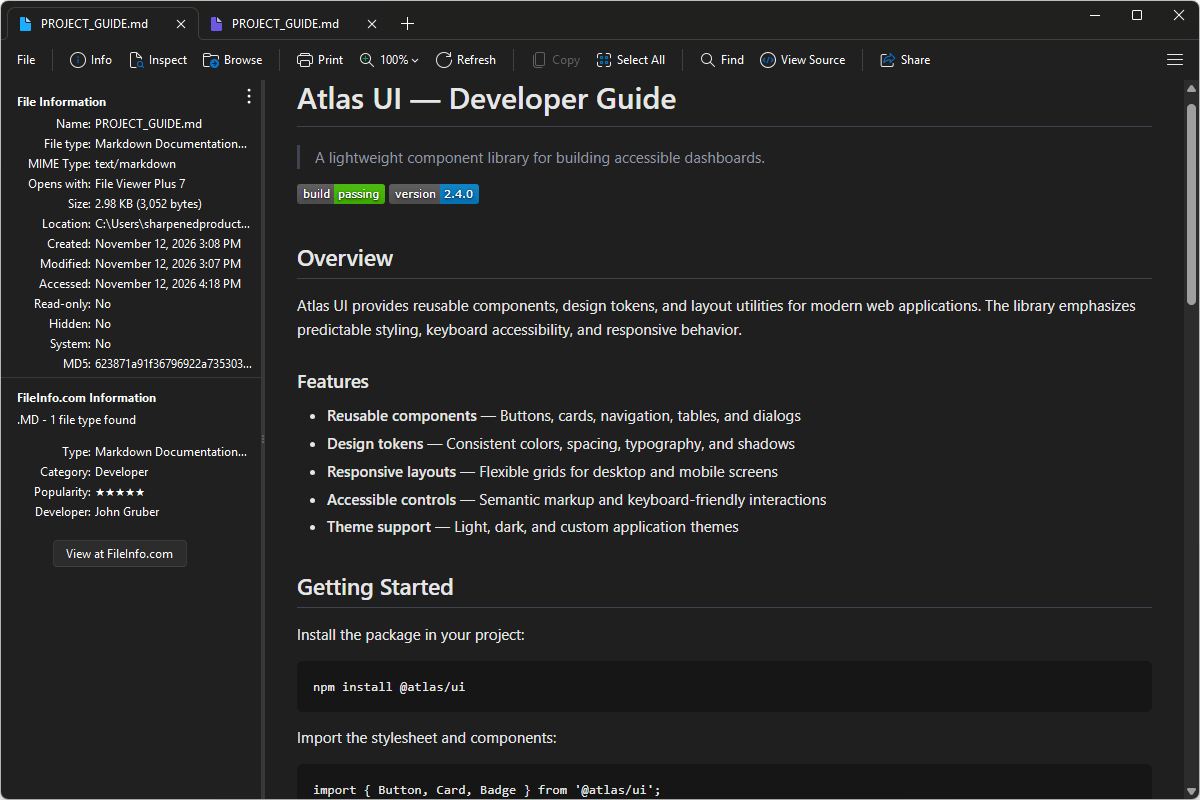
File Viewer Plus can open MD (Markdown Documentation) files and includes tools to view, edit, and save Markdown documents. You can preview the formatted document and its source code and use the syntax tree view to navigate its structure and quickly locate specific sections.
Open, explore, and edit MD files with File Viewer Plus. Download the free trial today and see how easily you can work with Markdown files.
What is an .MD file?
MD files are text-based documents written in Markdown, a lightweight markup language that uses simple symbols and characters to format text. They can contain headings, lists, links, images, tables, and other elements without requiring complex formatting tools. Markdown is commonly used to create software documentation, project notes, technical guides, and other written content that can be easily converted into formatted HTML or displayed by Markdown-compatible applications.
You may encounter MD files in open-source software projects, GitHub repositories, and application documentation, often with names such as README.md, CHANGELOG.md, or CONTRIBUTING.md. Markdown is also used with AI tools to organize prompts, provide project instructions, and store AI-generated documentation. File Viewer Plus can open, edit, and save MD files, allowing you to review and modify their Markdown content.
Alternate file extensions: .markdown, .mkd
Learn more about MD files at FileInfo.com →About File Viewer Plus
File Viewer Plus is the universal file viewer for Windows. Why pay for dozens of programs when you only need one? Install File Viewer Plus, and you'll be able to open over 400 file types with a single app.
You can also edit, save, print, and convert your files. Unknown file on your PC? No problem. The app's advanced file identification can recognize over 10,000 file formats, including files with incorrect or missing extensions.
See all supported file types →