File Viewer Plus Features
Open 400+ file formats
Documents, PDFs, spreadsheets, photos, music, videos, archives, email, and more, all in one app.
- Word documents (.DOC, .DOCX, .ODT, .RTF, .WPD)
- PDFs and XPS documents
- Excel spreadsheets (.XLS, .XLSX, .CSV)
- PowerPoint presentations (.PPT, .PPTX, .ODP)
- Visio diagrams and Microsoft Project files
- Images (.JPG, .HEIC, .PSD, .CR2, .DNG)
- Audio and video (.MP3, .M4A, .MP4, .MOV, .WMV)
- Archives (.ZIP, .RAR, .7Z, .GZ)
- Email (.EML, .MSG, Winmail.dat)
Advanced file manager
Browse, search, preview, and organize your files without switching between apps.
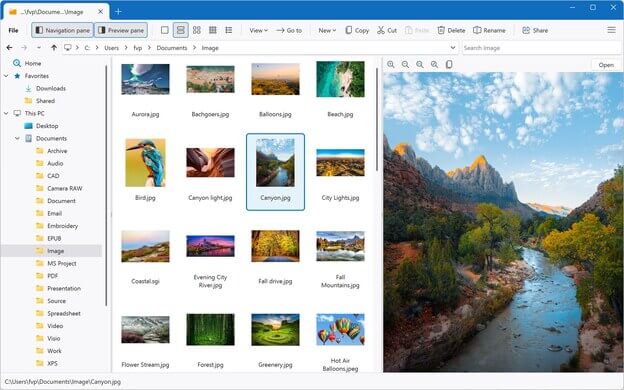
- Search a folder and all of its subfolders New in Version 7
- Scroll through multipage previews of PDFs and Office documents New in Version 7
- Copy, paste, move, rename, delete, and share files and folders
- View thumbnails in small, medium, large, and extra large sizes
- Browse compressed archives and extract individual files
- Save favorite folders for quick access
- Sort files by name, date, type, and size
- Show hidden files and display file and folder properties
- Navigate folders with the navigation tree
- Open folders from the Windows context menu, or drag and drop them in
Scanning and text recognition
Bring paper documents into File Viewer Plus, then pull the text out of them.
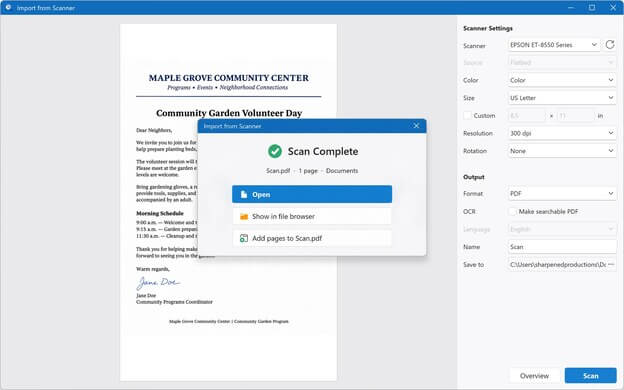
- Import documents straight from your scanner
- Scan to a PDF or image, adding pages as you go
- Recognize text in scanned pages and photos with OCR
- Copy the recognized text or save a searchable PDF
Powerful word processor
Open, edit, and save Word documents, and turn PDFs into documents you can edit.
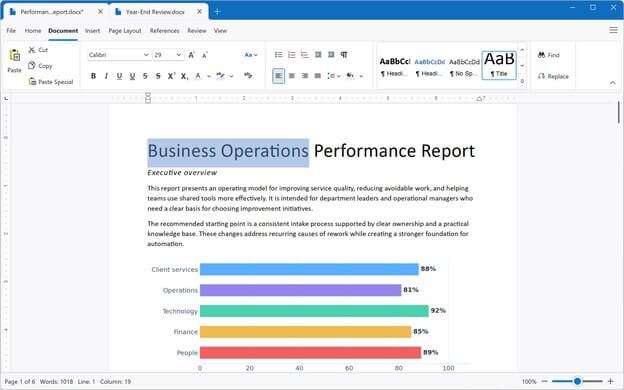
- Open Microsoft Word documents and many other formats
- Open WordPerfect, OpenDocument, and Markdown documents New in Version 7
- Edit documents with the built-in word processor
- Convert PDFs to fully editable DOCX files and other formats
- Adjust page formatting and insert charts, photos, and other graphics
- Save documents or export them to PDF and other formats
- Print documents using custom margins and paper sizes
Image viewer and editor
View photos and graphics in over 50 formats, and touch them up before you save or share them.
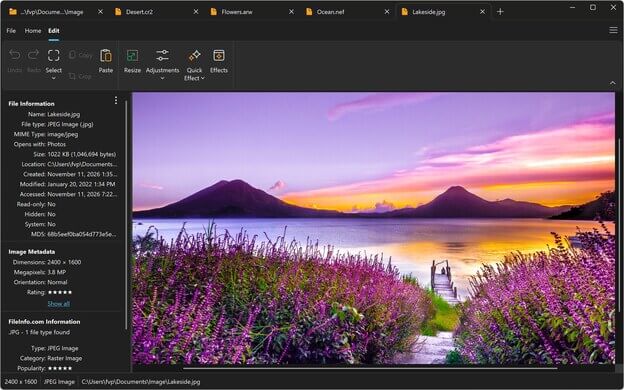
- View over 50 different image formats
- Display multipage TIFFs
- Play animated GIFs and APNGs and export individual frames
- Crop, resize, and enhance photos
- Adjust image color, brightness, contrast, and gamma
- Apply built-in effects or create custom image filters
- Export images to several different formats
- Print image files with custom page formatting
Built-in media player
Play over 150 audio and video formats, and convert them to the formats you need.
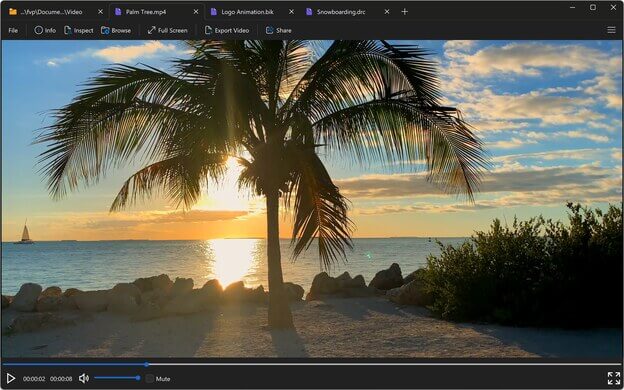
- Play over 150 audio and video formats
- Play videos in full screen
- Convert videos to MP4
- Convert audio files to M4A or MP3
- Extract audio tracks from videos and export them to M4A or MP3
- View audio waveforms during playback
- View album artwork and audio file metadata
Email viewer
Read saved emails with all of their formatting, and get to their attachments.
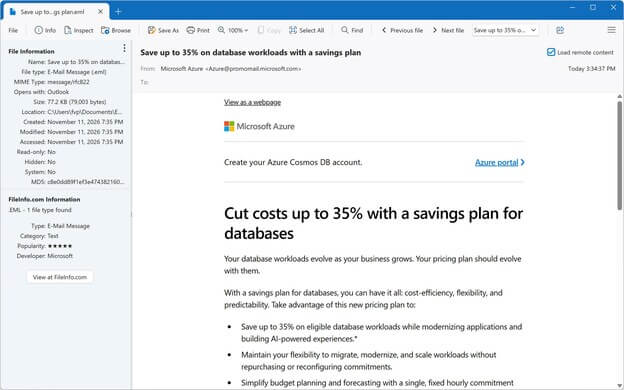
- Open saved or exported email files (.EML, .EMLX, .MSG, Winmail.dat)
- View messages with all of their formatting and attachments Improved in Version 7
- View To, From, Cc, Bcc, Subject, and Date fields
- View HTML, RTF, and plain text emails
- Open and save attachments
- Print emails and save them as PDFs
CAD viewer
Open AutoCAD drawings without AutoCAD.
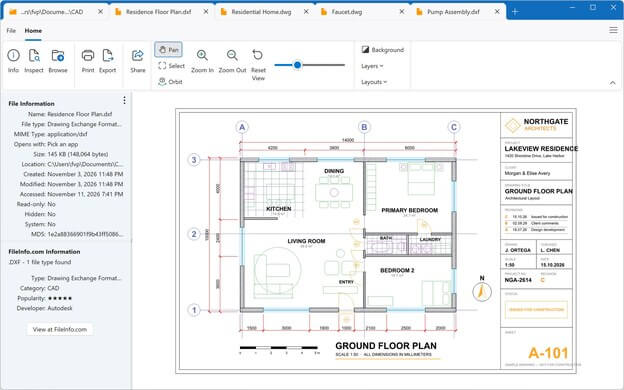
- View CAD drawings (.DWG, .DXF) without Autodesk AutoCAD
- Zoom, navigate, and rotate 2D and 3D objects
- Hide and show individual layers
- Convert drawings to PDF or image formats such as JPEG or PNG
- Print CAD drawings
DICOM viewer
View medical images and their details, and export them to standard image formats.
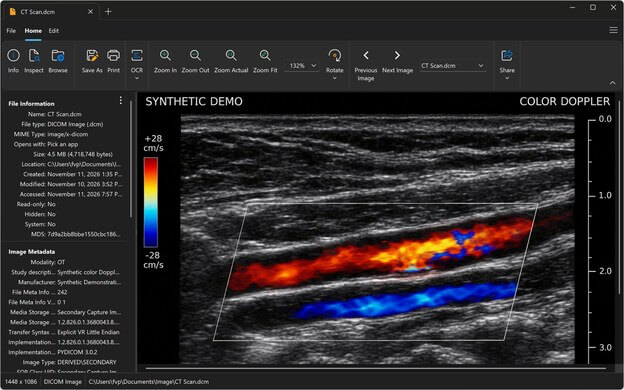
- View DICOM medical images (.DCM, .DICOM)
- Open DICOM Encapsulated PDF files
- Display multi-frame DICOM files
- Recognize and open DICOM files without a file extension
- Display metadata, such as facility and patient information
- Export DICOM files to JPEG, PNG, or other standard image formats
Source code editor
Open and edit code in dozens of languages in a modernized editor.
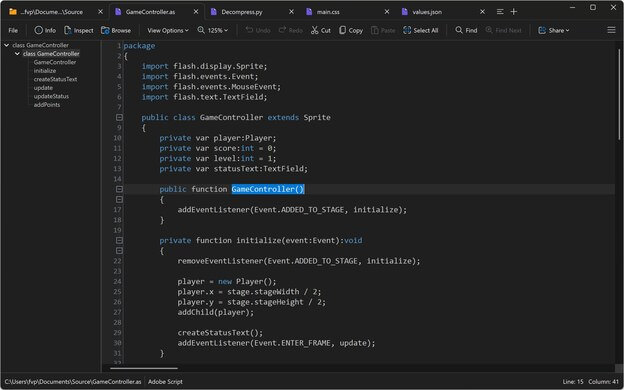
- Open and edit dozens of source code file types
- Display syntax highlighting for dozens of programming languages
- View the syntax tree, line numbers, and rulers
- Use code folding to hide and show sections of code
- Save edited source code files
Batch converter
Convert hundreds or thousands of files at once, with the settings you choose.
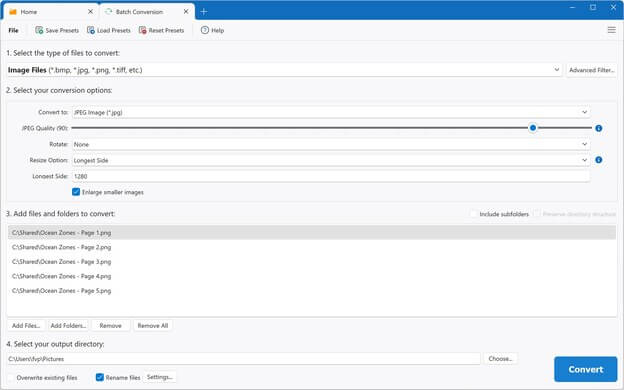
- Convert hundreds or thousands of files at once
- Select individual files or entire folders, including subfolders
- Choose custom file conversion options
- Specify custom file renaming settings
- Save and load conversion presets
File identifier and inspector
Find out what an unknown file is, and see what's hidden inside any file.
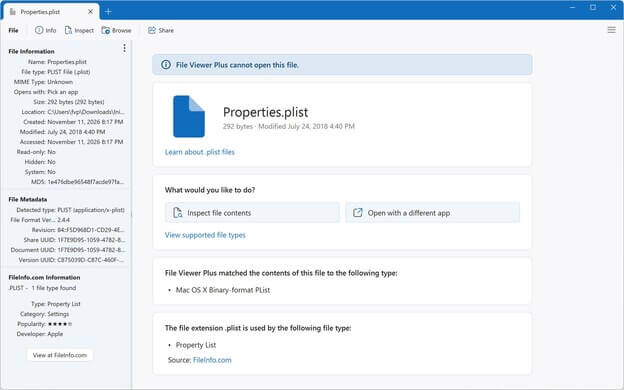
- Identify unknown files with a built-in database of over 10,000 file formats
- Recognize files without extensions by their header (binary signature)
- Inspect file contents in raw text and hexadecimal views
- Discover hidden information stored inside files
- View file properties, metadata, and full image EXIF data
- Show MD5 hashes and MIME types
Customizable interface
Set up File Viewer Plus the way you like to work.
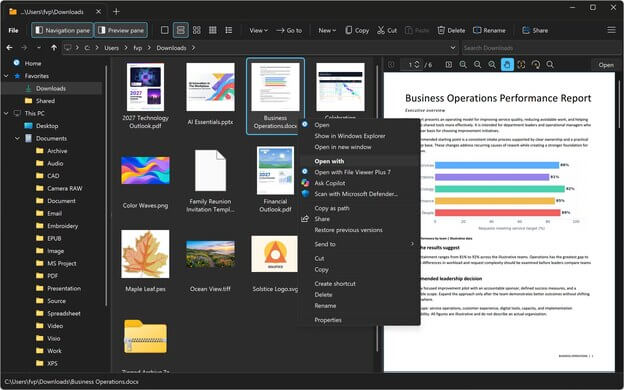
- Choose light or dark mode
- Choose a simplified ribbon, classic ribbon, or compact window mode
- Work in a single window or multiple windows
- Open multiple files in tabs
- Display files side by side in split view
- Set a custom window size
- Sharp on high-DPI displays