Open APNG files with File Viewer Plus
Do you need to open an APNG file?
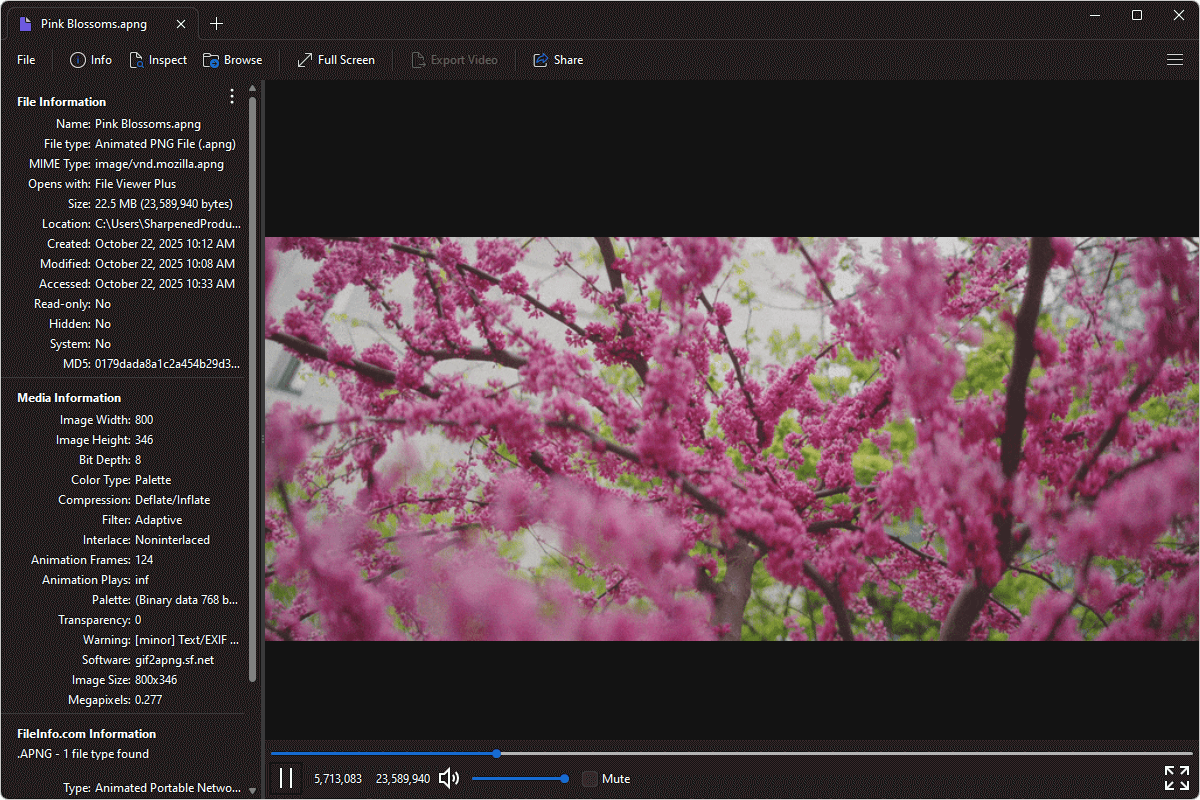
File Viewer Plus can open APNG (Animated PNG) files. It includes standard playback options for playing the animations similarly to video files. The app also allows you to inspect your file's metadata.
Open and inspect APNG files with our easy-to-use software. Try File Viewer Plus for free today!
What is an .APNG file?
APNG files are images saved in the Animated Portable Network Graphics (APNG) format, an extension of the standard PNG format that supports animation. Introduced in 2004, APNG supports storing multiple frames in a single file, creating short animations while retaining the lossless quality, transparency, and color depth of standard PNG images. Unlike GIFs, APNG supports 24-bit color and 8-bit transparency, producing higher-quality animations with more accurate colors and smoother transitions.
You may encounter APNG files when downloading animated web graphics, stickers, or icons, or when receiving content shared through apps and platforms that support the format. File Viewer Plus can open APNG files, play the animations, and inspect their metadata.
Learn more about APNG files at FileInfo.com →About File Viewer Plus
File Viewer Plus is the universal file viewer for Windows. Why pay for dozens of programs when you only need one? Install File Viewer Plus, and you'll be able to open over 400 file types with a single app.
You can also edit, save, print, and convert your files. Unknown file on your PC? No problem. The app's advanced file identification can recognize over 10,000 file formats, including files with incorrect or missing extensions.
See all supported file types →