Open ARW files with File Viewer Plus
Do you need to open an ARW file?
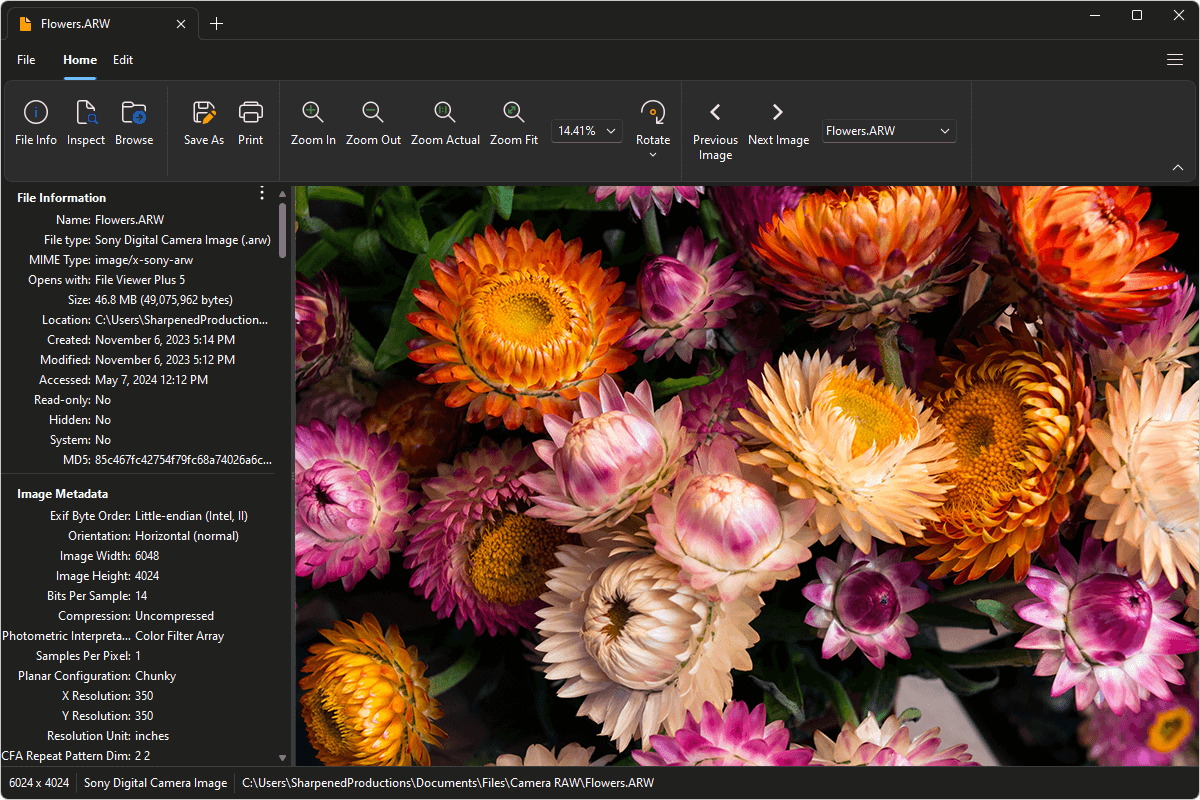
File Viewer Plus can open ARW (Sony Digital Camera) images. It comes with various image editing features, including custom controls and effects to adjust the image's contrast, sharpness, color, and brightness. You can also batch convert ARW images to JPEG, PNG, TIFF, GIF, and BMP formats.
Open, edit, and convert ARW files without Sony image viewing software. Try File Viewer Plus for free today!
What is an .ARW file?

ARW files are raw images captured by Sony Alpha digital cameras. Professional photographers with Sony Alpha cameras often work with ARW files because they save captured data in an uncompressed format, which maintains the highest image quality. Because the ARW images are stored in an uncompressed format, users can more accurately edit them than compressed images.
Even if you do not own a Sony digital camera, you may still encounter an ARW file. For example, you may download it from a photo-sharing website or receive an ARW photo from a colleague or friend. You can use File Viewer Plus to view and edit ARW images or convert them to one of several more common image formats, such as JPEG or PNG.
Learn more about ARW files at FileInfo.com →About File Viewer Plus
File Viewer Plus is the universal file viewer for Windows. Why pay for dozens of programs when you only need one? Install File Viewer Plus, and you'll be able to open over 400 file types with a single app.
You can also edit, save, print, and convert your files. Unknown file on your PC? No problem. The app's advanced file identification can recognize over 10,000 file formats, including files with incorrect or missing extensions.
See all supported file types →