Open BAS files with File Viewer Plus
Do you need to open a BAS file?
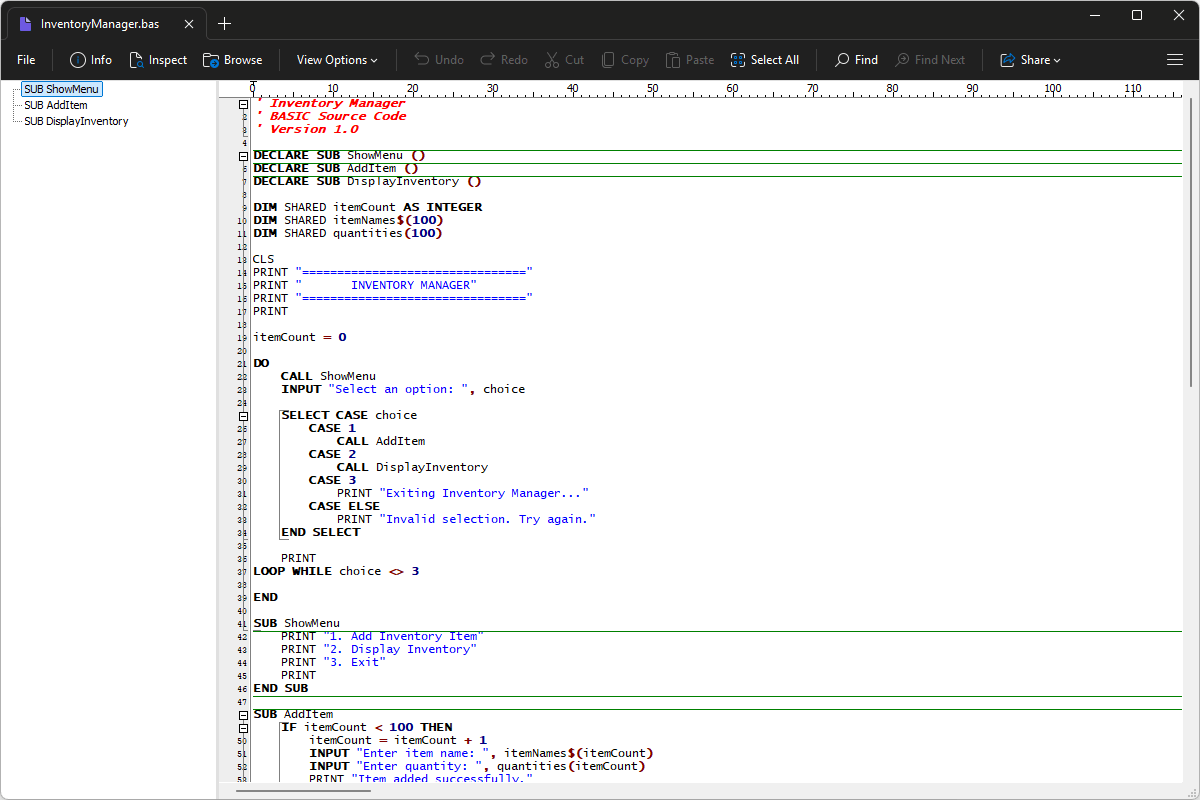
File Viewer Plus can open BAS (Basic Source Code) files and includes tools for editing the code and saving your changes. You can also use the syntax tree view to navigate the source code.
Open, explore, edit, and save BAS files with File Viewer Plus. Download the free trial today and see how easily you can work with BASIC source code.
What is a .BAS file?
BAS files store source code written in BASIC, a programming language originally designed to make programming easier to learn. The code can define variables, perform calculations, display information, accept user input, and control a program's execution. Many BASIC dialects exist, including those used by older home computers, educational programming environments, and Microsoft development tools, so the exact syntax and features depend on the language version.
You may come across BAS files while exploring a legacy software project, following a programming tutorial, or working with applications developed in Visual Basic or another BASIC environment. They are also found in archived programs for older computers, sample projects, and source code collections. Developers typically open them in a compatible programming editor or IDE to review, modify, and compile the code as needed. File Viewer Plus can open, edit, and save BAS files, helping you examine or update their source code.
Learn more about BAS files at FileInfo.com →About File Viewer Plus
File Viewer Plus is the universal file viewer for Windows. Why pay for dozens of programs when you only need one? Install File Viewer Plus, and you'll be able to open over 400 file types with a single app.
You can also edit, save, print, and convert your files. Unknown file on your PC? No problem. The app's advanced file identification can recognize over 10,000 file formats, including files with incorrect or missing extensions.
See all supported file types →