Open BAT files with File Viewer Plus
Do you need to open a BAT file?
File Viewer Plus can open BAT (DOS Batch) files and includes tools for editing the code and saving your changes. You can also use the syntax tree view to navigate the source code.
Open, explore, edit, and save BAT files with File Viewer Plus. Download the free trial today and see how easily you can work with batch scripts.
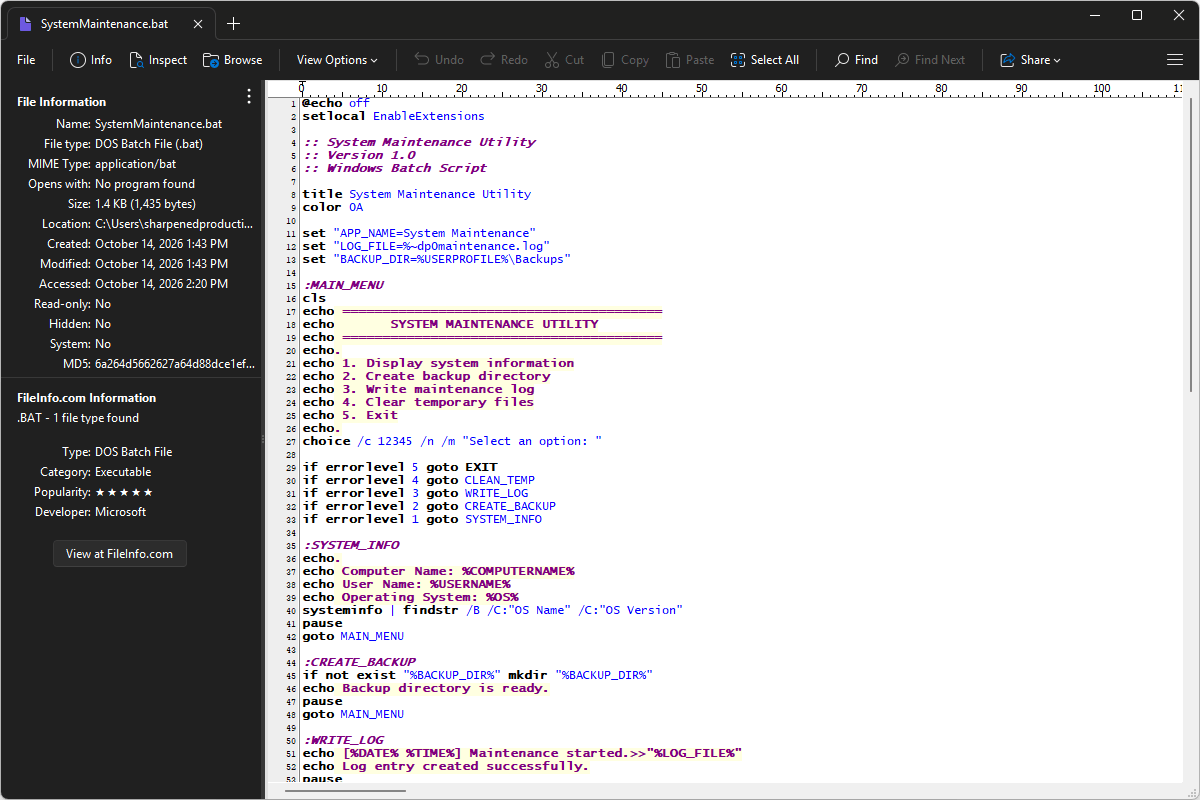
What is a .BAT file?
BAT files are batch scripts that contain a sequence of commands for the Windows Command Prompt to execute. Rather than requiring users to enter each command individually, a batch file can automate tasks such as copying files, creating folders, launching programs, setting environment variables, and running other scripts. BAT files use plain text and can include variables, loops, and conditional commands to control how the tasks are performed.
You may encounter BAT files in software installation folders, system maintenance utilities, IT administration scripts, or older Windows programs that rely on command-line operations. They are also commonly created to launch applications with specific options, perform repeated file-management tasks, or automate backups. File Viewer Plus can open, edit, and save BAT files, making it easy to inspect or change the commands they contain.
Learn more about BAT files at FileInfo.com →About File Viewer Plus
File Viewer Plus is the universal file viewer for Windows. Why pay for dozens of programs when you only need one? Install File Viewer Plus, and you'll be able to open over 400 file types with a single app.
You can also edit, save, print, and convert your files. Unknown file on your PC? No problem. The app's advanced file identification can recognize over 10,000 file formats, including files with incorrect or missing extensions.
See all supported file types →