Open BPR files with File Viewer Plus
Do you need to open a BPR file?
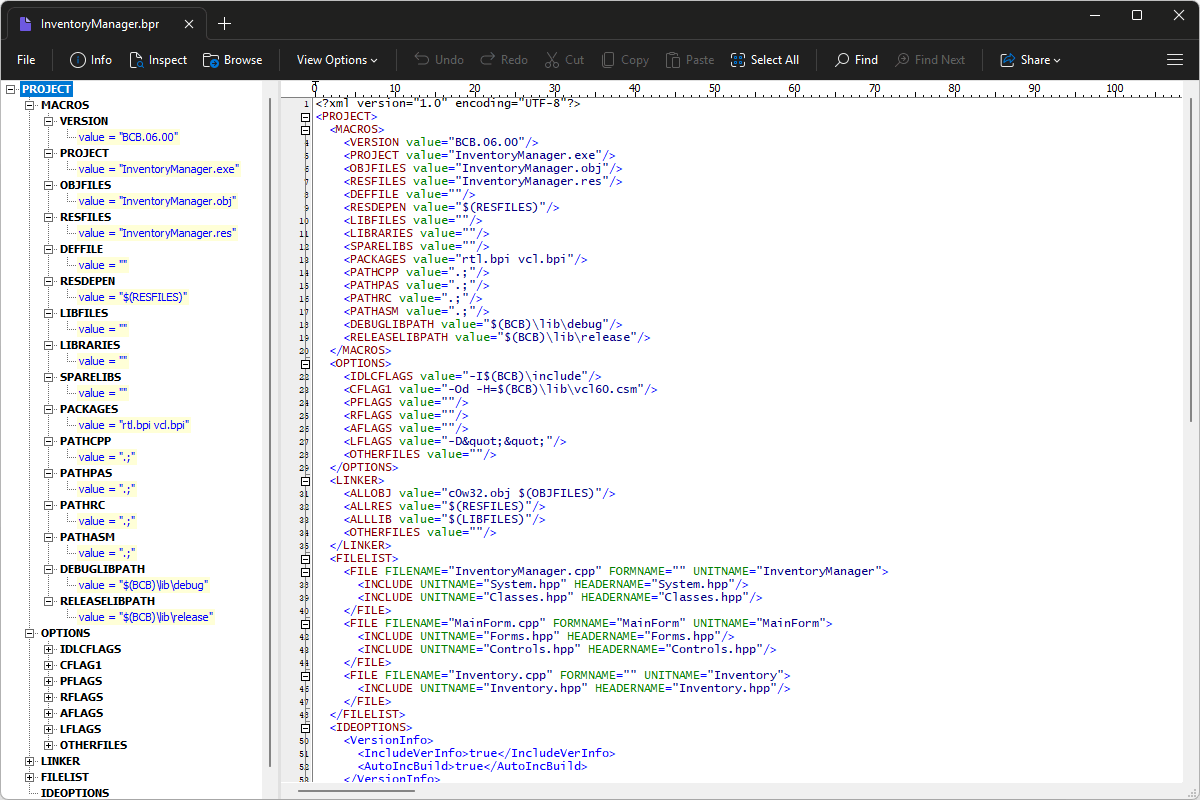
File Viewer Plus can open BPR (Borland C++Builder Project) files and provide a syntax tree view to navigate the file's structure. The app also lets you inspect project settings and edit the text-based contents.
Use File Viewer Plus to open, examine, edit, and save BPR files. Download the free trial today to see how easily you can explore C++Builder project files.
What is a .BPR file?
A BPR file is a project created by Borland C++Builder to store the settings and build instructions for a C++ application. It identifies project files and resources and contains configuration details that help the development environment compile and link the program. BPR files let developers save a project's setup so they can reopen it and keep building the application without manually recreating its configuration.
You might find BPR files in the source code directories of older Windows programs, archived development projects, or software repositories created with Borland C++Builder. They are especially common in projects developed with earlier versions of the IDE, before newer project formats became standard. File Viewer Plus can open, edit, and save BPR files, making it easier for you to modify your projects.
Learn more about BPR files at FileInfo.com →About File Viewer Plus
File Viewer Plus is the universal file viewer for Windows. Why pay for dozens of programs when you only need one? Install File Viewer Plus, and you'll be able to open over 400 file types with a single app.
You can also edit, save, print, and convert your files. Unknown file on your PC? No problem. The app's advanced file identification can recognize over 10,000 file formats, including files with incorrect or missing extensions.
See all supported file types →