Open CMAKE files with File Viewer Plus
Do you need to open a CMAKE file?
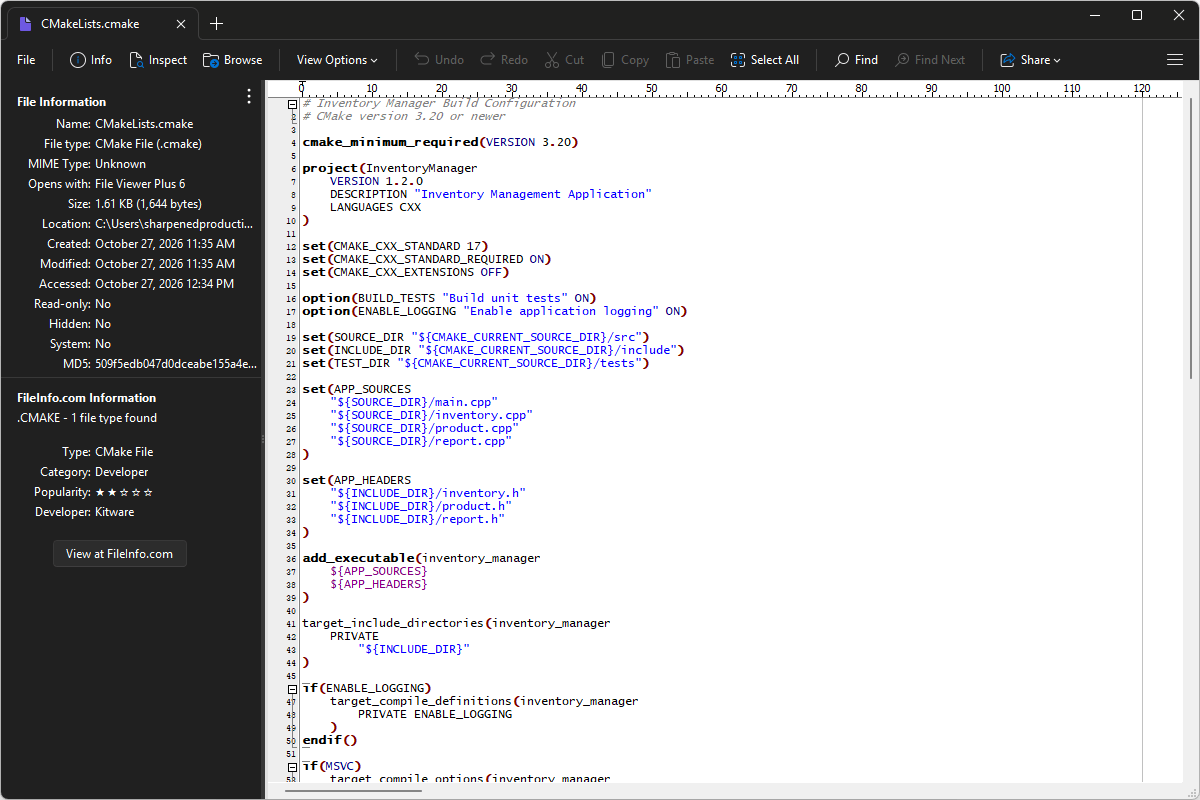
File Viewer Plus can open CMAKE (CMake) files and provide a syntax tree view to navigate the code and locate specific elements. It also lets you view, edit, and save build configuration code in the file.
Open, explore, and edit CMAKE files with File Viewer Plus. Download the free trial today to see how easily you can inspect and modify CMake configuration files.
What is a .CMAKE file?
CMAKE files contain configuration instructions for CMake, a build system used to prepare software projects for compilation. They can specify which source files belong to a project, identify required libraries, define build options, and describe how to organize the build process for different platforms and development environments. CMake configuration files commonly use the name CMakeLists.txt, although files with the .cmake extension are also used for reusable scripts and additional configuration settings.
You may find CMAKE files when downloading open-source software, exploring a C or C++ development project, or configuring an application that must be built from source code. They often appear in repositories alongside source files, header files, and build instructions, and may define shared settings or helper functions used by the main CMakeLists.txt file. File Viewer Plus can open, edit, and save CMAKE files, allowing you to inspect or change their build configuration code.
Learn more about CMAKE files at FileInfo.com →About File Viewer Plus
File Viewer Plus is the universal file viewer for Windows. Why pay for dozens of programs when you only need one? Install File Viewer Plus, and you'll be able to open over 400 file types with a single app.
You can also edit, save, print, and convert your files. Unknown file on your PC? No problem. The app's advanced file identification can recognize over 10,000 file formats, including files with incorrect or missing extensions.
See all supported file types →