Open DCM files with File Viewer Plus
Do you need to open a DCM file?
File Viewer Plus can open DCM (DICOM Image) files and comes with various image editing features, such as adjusting image brightness, resizing, and cropping images. The program can also convert DCM files to other image formats, such as JPEG, PNG, TIFF, GIF, and BMP.
Open, edit, and convert DCM files without expensive medical image viewing software. Try File Viewer Plus for free today!
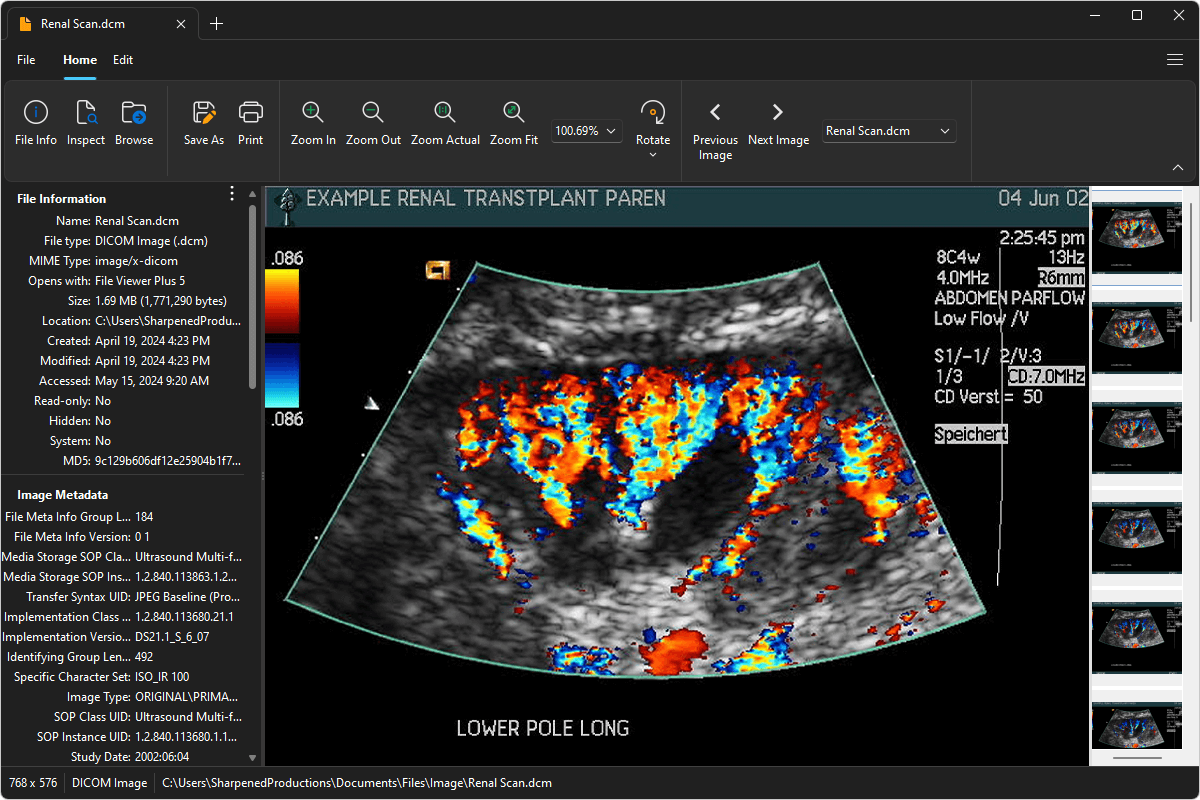
What is a .DCM file?

DCM files are medical images saved in the Digital Imaging and Communications in Medicine (DICOM) format, a widely adopted format in the medical world for storing and transmitting medical images between doctors and patients. The files may contain various types of medical imaging data, such as MRIs, CT scans, and ultrasound images.
Patients may receive DCM files from their medical professional on a CD or flash drive or via email or download after a scan at a hospital, doctor's office, or dentist's office. File Viewer Plus is an excellent option for viewing and editing DICOM images. The program can also convert them to one of several more common image formats.
Alternate file extensions: .dicom
Learn more about DCM files at FileInfo.com →About File Viewer Plus
File Viewer Plus is the universal file viewer for Windows. Why pay for dozens of programs when you only need one? Install File Viewer Plus, and you'll be able to open over 400 file types with a single app.
You can also edit, save, print, and convert your files. Unknown file on your PC? No problem. The app's advanced file identification can recognize over 10,000 file formats, including files with incorrect or missing extensions.
See all supported file types →