Open DXF files with File Viewer Plus
Do you need to open a DXF file?
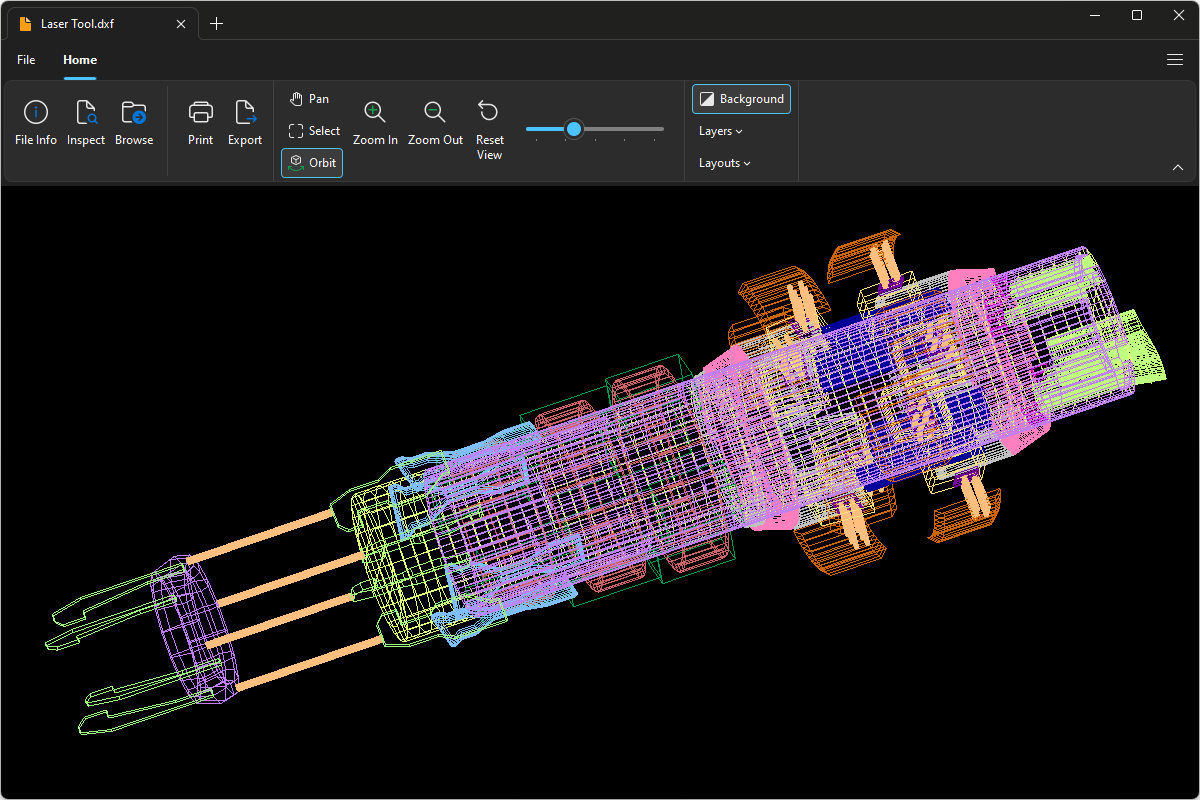
File Viewer Plus can open DXF (Drawing Exchange Format) files. It provides various viewing tools, including rotating drawings and hiding and showing their layers. The program can also convert DXF drawings to several formats, such as PDF, JPEG, and PNG.
Open DXF files without Autodesk AutoCAD. Try File Viewer Plus for free today!
What is a .DXF file?

DXF files are 2D or 3D drawings created by Autodesk AutoCAD or other CAD programs. They contain vector image data and metadata in the DXF format, a text-based format designed for better interoperability than proprietary CAD formats. DXF files may store various types of technical drawings, such as vehicle designs, structural configurations, and furniture models.
Typically, design or construction professionals work with DXF files. For example, an architect may send a co-worker a mockup of a hotel as a DXF file for them to approve. File Viewer Plus can open the attachment, print the design, and convert the design to PDF or image formats.
Learn more about DXF files at FileInfo.com →About File Viewer Plus
File Viewer Plus is the universal file viewer for Windows. Why pay for dozens of programs when you only need one? Install File Viewer Plus, and you'll be able to open over 400 file types with a single app.
You can also edit, save, print, and convert your files. Unknown file on your PC? No problem. The app's advanced file identification can recognize over 10,000 file formats, including files with incorrect or missing extensions.
See all supported file types →