Open EPUB files with File Viewer Plus
Do you need to open an EPUB file?
File Viewer Plus can open EPUB eBook files. It allows you to read the eBook and edit the contents using a professional-quality document editor similar to Microsoft Word. When you finish editing the eBook, you can save the EPUB file or convert it to another format, such as DOCX, DOC, or PDF.
Open EPUB files without an eBook reader device. Try File Viewer Plus for free today!
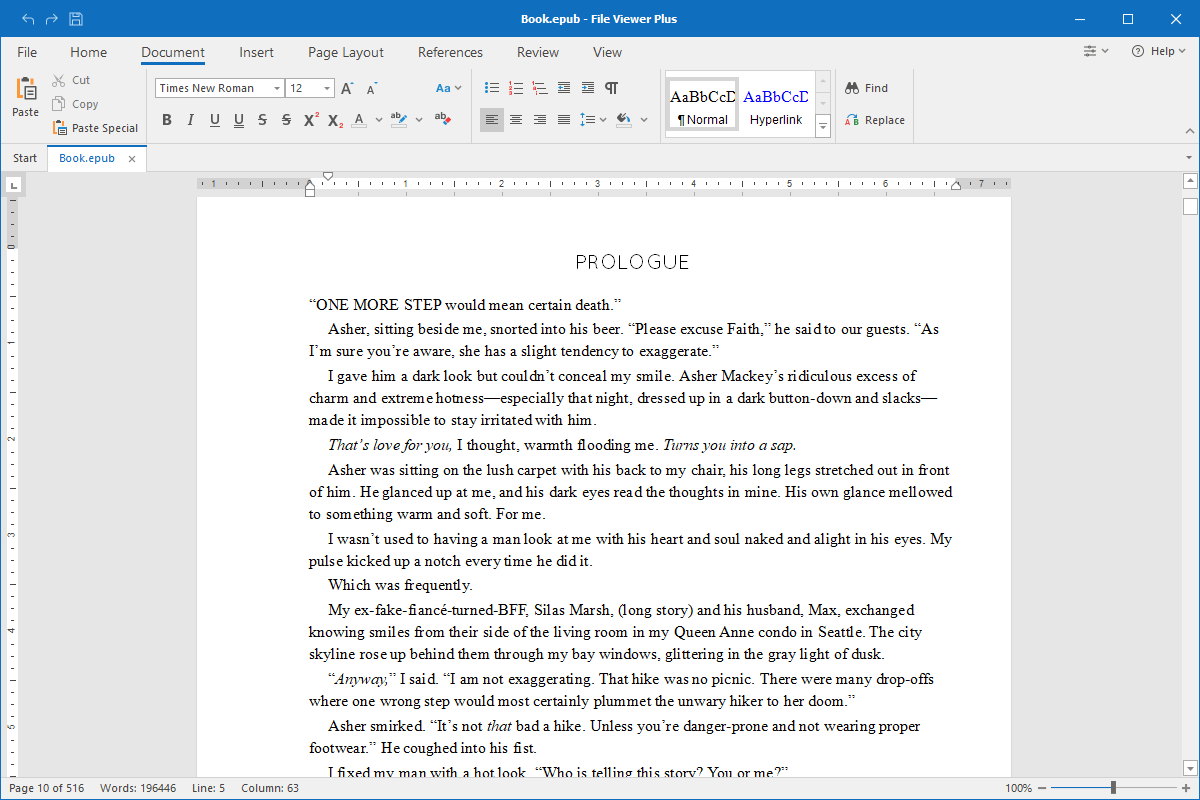
What is an .EPUB file?

The EPUB format is one of the most common formats publishers use to save electronic books (eBooks) and distribute them to readers. The Internation Digital Publishing Forum introduced the format in 2007, and many eBook devices and software readers quickly adopted the format.
Most of the major eBook distributors offer downloads in the EPUB format. If you enjoy reading eBooks, you most likely have already downloaded and read a book stored in an EPUB file. With File Viewer Plus, you can read your EPUB eBooks, edit them, and save or convert them to other formats.
Learn more about EPUB files at FileInfo.com →About File Viewer Plus
File Viewer Plus is the universal file viewer for Windows. Why pay for dozens of programs when you only need one? Install File Viewer Plus, and you'll be able to open over 400 file types with a single app.
You can also edit, save, print, and convert your files. Unknown file on your PC? No problem. The app's advanced file identification can recognize over 10,000 file formats, including files with incorrect or missing extensions.
See all supported file types →