Open MDC files with File Viewer Plus
Do you need to open an MDC file?
File Viewer Plus can open MDC (Minolta Camera Raw Image) files and comes with various image editing tools to adjust color, apply filters, resize, and more. You can also batch convert MDC images to various formats, including JPEG, PNG, TIFF, GIF, and BMP.
Open, edit, and convert MDC files with our easy-to-use application. Download File Viewer Plus and try it free today!
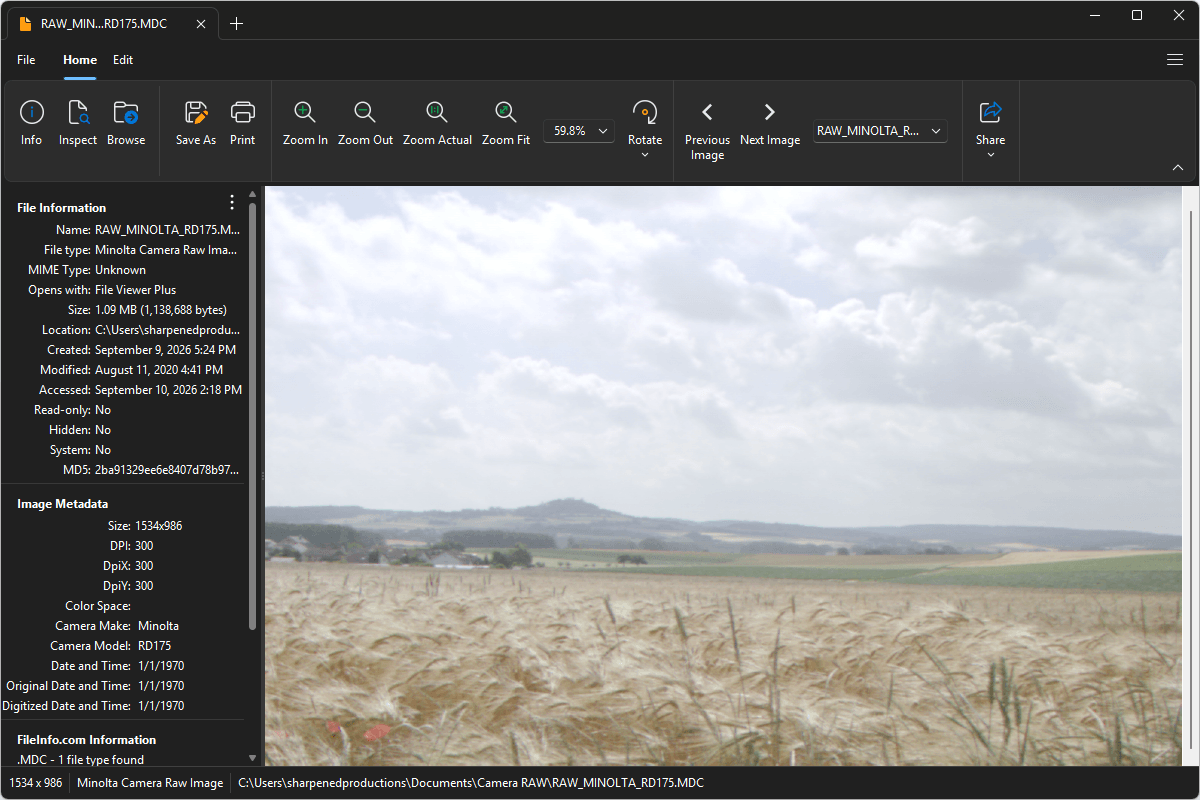
What is an .MDC file?
MDC files are raw image files produced by the Minolta RD-175 digital camera. They preserve the original image data captured by the camera's sensor with less processing than a JPEG, giving photographers greater control when adjusting settings such as exposure, white balance, color, and detail in image-editing software.
You may encounter an MDC file when transferring photographs from a Minolta RD-175 camera, copying files from a camera memory card, recovering an archived photo collection, or working with RAW images from an older photography project. File Viewer Plus can open and edit MDC images and convert them to widely supported formats, including JPEG and PNG.
Learn more about MDC files at FileInfo.com →About File Viewer Plus
File Viewer Plus is the universal file viewer for Windows. Why pay for dozens of programs when you only need one? Install File Viewer Plus, and you'll be able to open over 400 file types with a single app.
You can also edit, save, print, and convert your files. Unknown file on your PC? No problem. The app's advanced file identification can recognize over 10,000 file formats, including files with incorrect or missing extensions.
See all supported file types →