Open MPP files with File Viewer Plus
Do you need to open an MPP file?
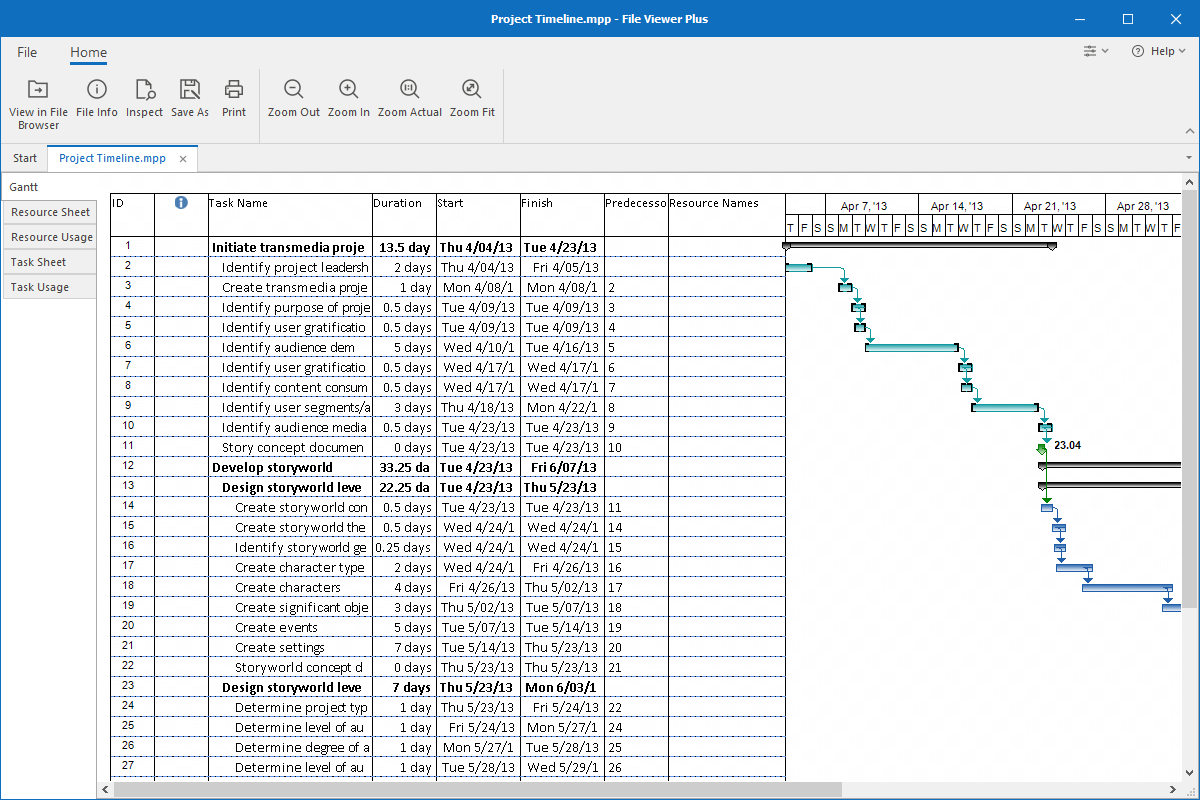
File Viewer Plus can open MPP (Microsoft Project) files. You can view your project details, including Gantt, Resource Sheet, Resource Usage, Task Sheet, and Task Usage views. You can also convert the project files to a JPEG or PNG image.
Open MPP files without Microsoft Project. Try File Viewer Plus for free today!
What is an .MPP file?

MPP files are project files typically created by Microsoft Project that store a timeline of a project, its budget, a list of tasks to be completed, and resources assigned to the tasks. MPP files may be used to store information for various types of projects, such as planning an event, developing a computer application, or organizing a construction site.
You will most likely only encounter MPP files in a business setting since they are typically used for managing large projects. However, people use them for smaller projects too. If you receive an MPP file from a co-worker or friend or discover an old MPP file on your computer, you can view the project or convert it to JPEG or PNG formats with File Viewer Plus.
Learn more about MPP files at FileInfo.com →About File Viewer Plus
File Viewer Plus is the universal file viewer for Windows. Why pay for dozens of programs when you only need one? Install File Viewer Plus, and you'll be able to open over 400 file types with a single app.
You can also edit, save, print, and convert your files. Unknown file on your PC? No problem. The app's advanced file identification can recognize over 10,000 file formats, including files with incorrect or missing extensions.
See all supported file types →