Open MPT files with File Viewer Plus
Do you need to open an MPT file?
File Viewer Plus can open MPT (Microsoft Project Template) files. You can view your project details, including Gantt, Resource Sheet, Resource Usage, Task Sheet, and Task Usage views. You can also convert the project templates to JPEG or PNG images.
Open MPP templates without Microsoft Project. Try File Viewer Plus for free today!
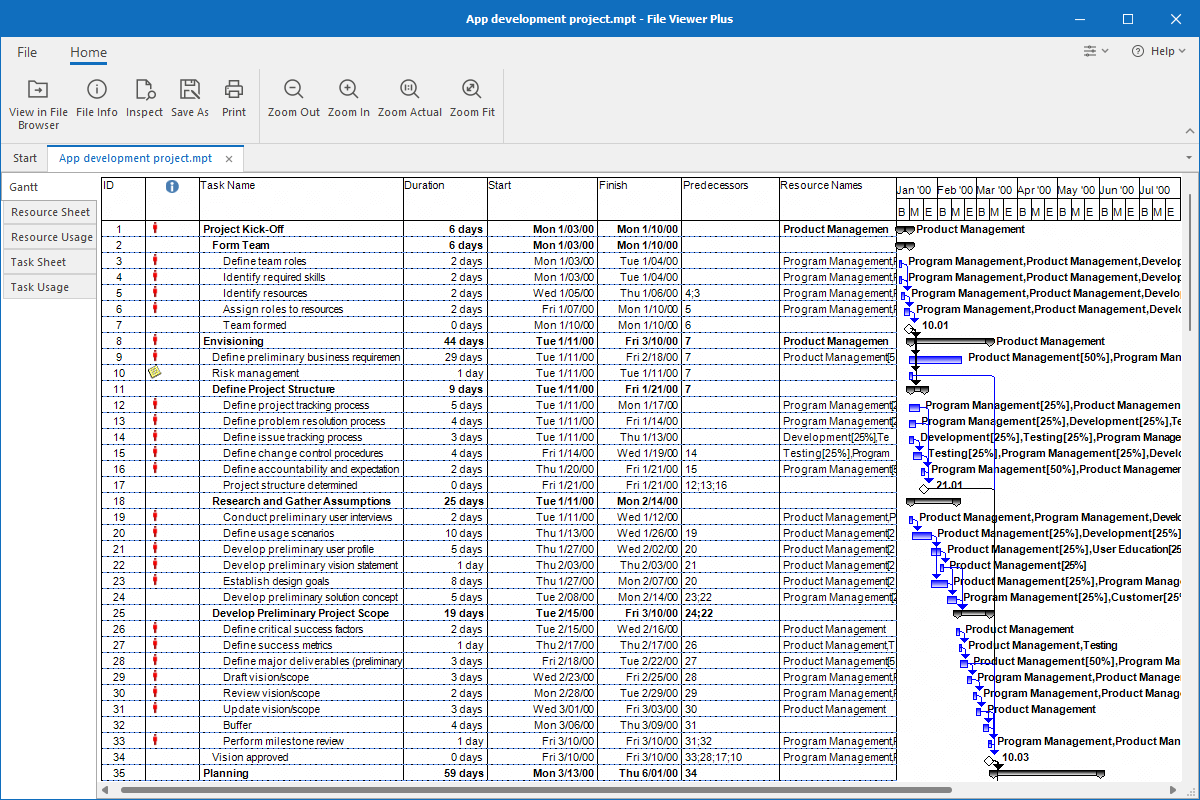
What is an .MPT file?
MPT files are project templates created by Microsoft Project. They help Project users produce and manage multiple projects with similar tasks, timelines, and resources. While users often create MPT files, they may also come pre-made with Microsoft Project.
Since people typically use MPT files when managing large projects with many moving parts, you will likely only encounter an MPT file in a business setting. For example, a coworker may share a project template with you via email or a cloud service for you to review. You can use File Viewer Plus to view MPT project templates and convert them to JPEG or PNG images.
Learn more about MPT files at FileInfo.com →About File Viewer Plus
File Viewer Plus is the universal file viewer for Windows. Why pay for dozens of programs when you only need one? Install File Viewer Plus, and you'll be able to open over 400 file types with a single app.
You can also edit, save, print, and convert your files. Unknown file on your PC? No problem. The app's advanced file identification can recognize over 10,000 file formats, including files with incorrect or missing extensions.
See all supported file types →