Open ODP files with File Viewer Plus
Do you need to open an ODP file?
File Viewer Plus can open ODP (OpenDocument Presentation) files. It allows you to view your presentation and convert it to PDF format, or to JPEG or PNG image formats.
Open ODP files without OpenOffice software. Try File Viewer Plus for free today!
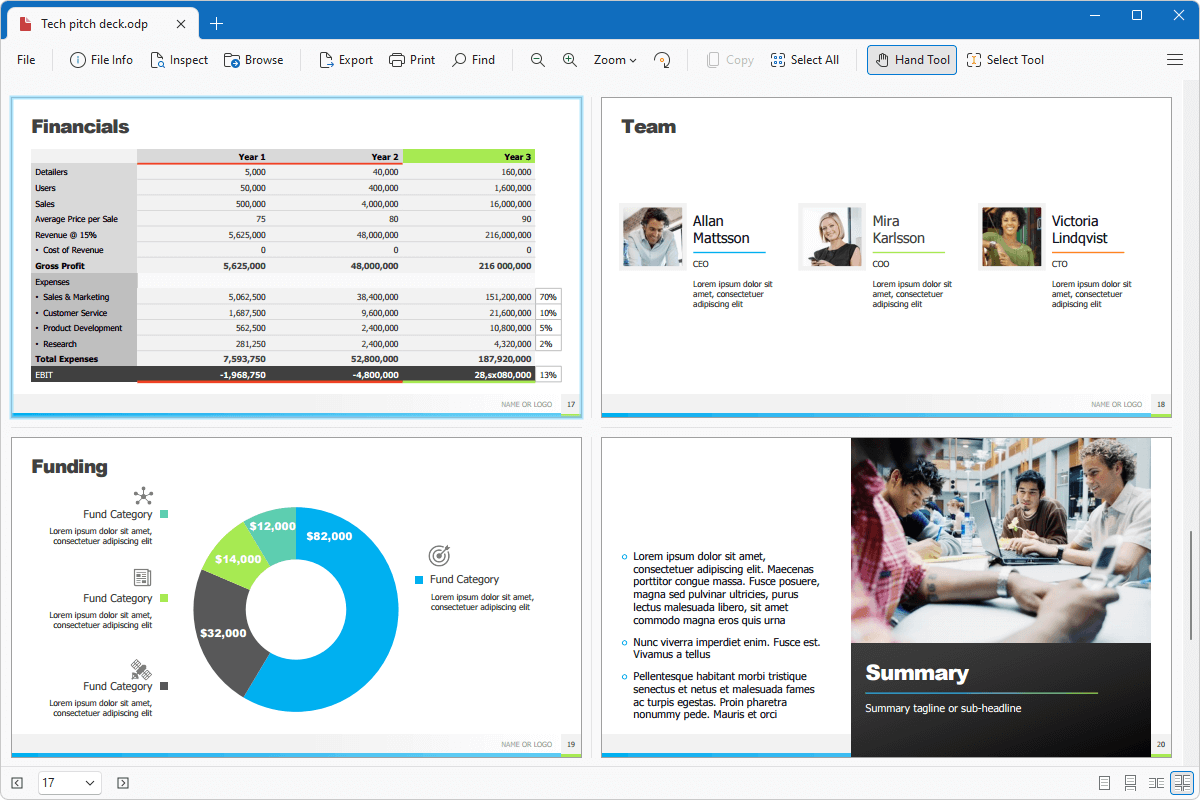
What is an .ODP file?

ODP files are presentations typically created by OpenOffice Impress, but other applications, such as LibreOffice Impress and Microsoft PowerPoint, may also export them. The files may store various types of presentations, such as photo slideshows, seminars, or tutorials.
ODP files are a popular alternative to PPTX and PPT files for OpenOffice users who cannot purchase PowerPoint. You may receive ODP files in emails from co-workers, family members, or friends who want to share a presentation with you. If you do, File Viewer Plus is an excellent option for opening ODP files and converting the slides to other formats.
Learn more about ODP files at FileInfo.com →About File Viewer Plus
File Viewer Plus is the universal file viewer for Windows. Why pay for dozens of programs when you only need one? Install File Viewer Plus, and you'll be able to open over 400 file types with a single app.
You can also edit, save, print, and convert your files. Unknown file on your PC? No problem. The app's advanced file identification can recognize over 10,000 file formats, including files with incorrect or missing extensions.
See all supported file types →