Open POT files with File Viewer Plus
Do you need to open a POT file?
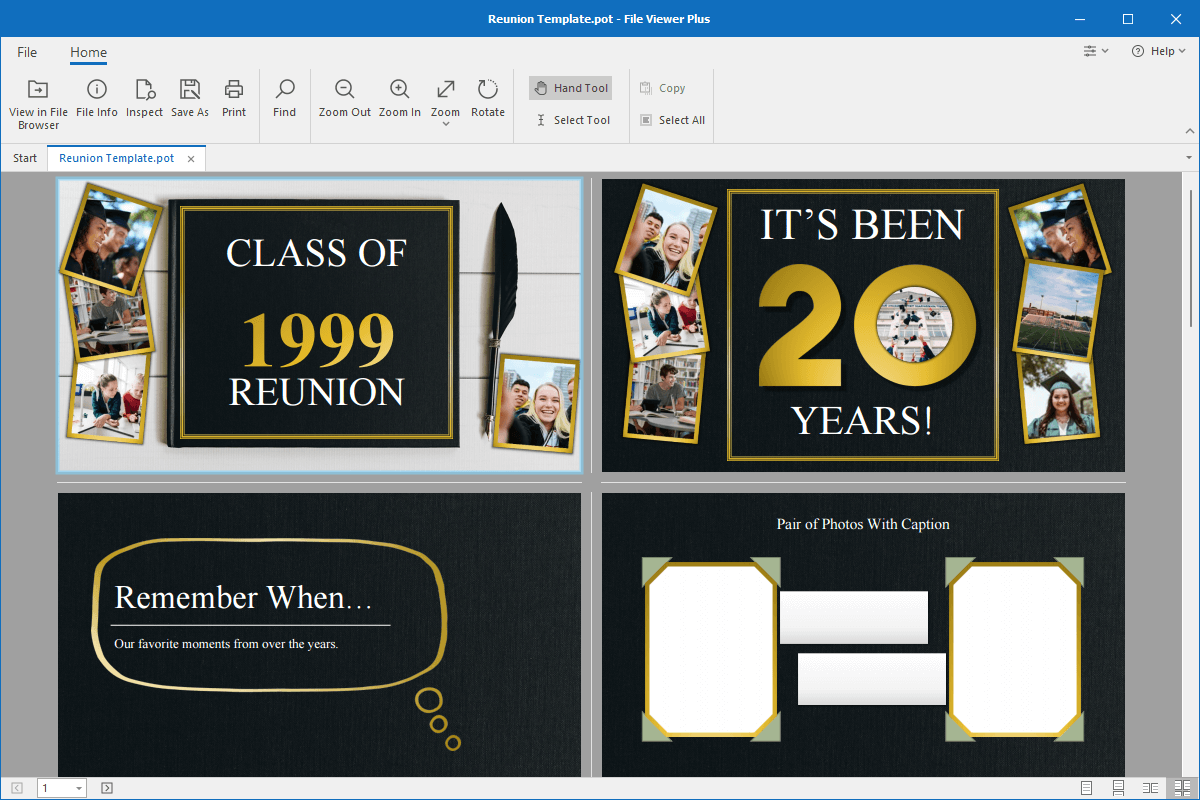
File Viewer Plus can open POT (Microsoft PowerPoint Template) files and allows you to view your presentation template. You can also convert POT files to a PDF document, JPEG image, or PNG image.
Open POT files without Microsoft PowerPoint. Try File Viewer Plus for free today!
What is a .POT file?

POT files are presentation templates created by Microsoft PowerPoint. Microsoft introduced the POT file format in the 1990s, and it was the primary file format for saving templates in PowerPoint. However, the POTX format replaced the POT format when Microsoft released PowerPoint 2007. Although POT files are not as common as they once were, people still save PowerPoint templates as POT files.
Microsoft PowerPoint comes with pre-designed POT templates, but PowerPoint users can create POT files too. Even though POTX files replaced POT files, you may still receive POT files attached to emails from co-workers, family members, or friends looking to share a presentation design with you. Or you may find old POT files saved on your computer from previous years. File Viewer Plus allows you to view your POT templates and convert them to PDF, JPEG, and PNG formats.
Learn more about POT files at FileInfo.com →About File Viewer Plus
File Viewer Plus is the universal file viewer for Windows. Why pay for dozens of programs when you only need one? Install File Viewer Plus, and you'll be able to open over 400 file types with a single app.
You can also edit, save, print, and convert your files. Unknown file on your PC? No problem. The app's advanced file identification can recognize over 10,000 file formats, including files with incorrect or missing extensions.
See all supported file types →