Open RAR files with File Viewer Plus
Do you need to open a RAR file?
File Viewer Plus can open RAR (RAR compressed archives) files. You can view a list of folders or files in the RAR archive, then extract the contents to a location on your hard drive.
Open RAR files without WinRAR. Try File Viewer Plus for free today!
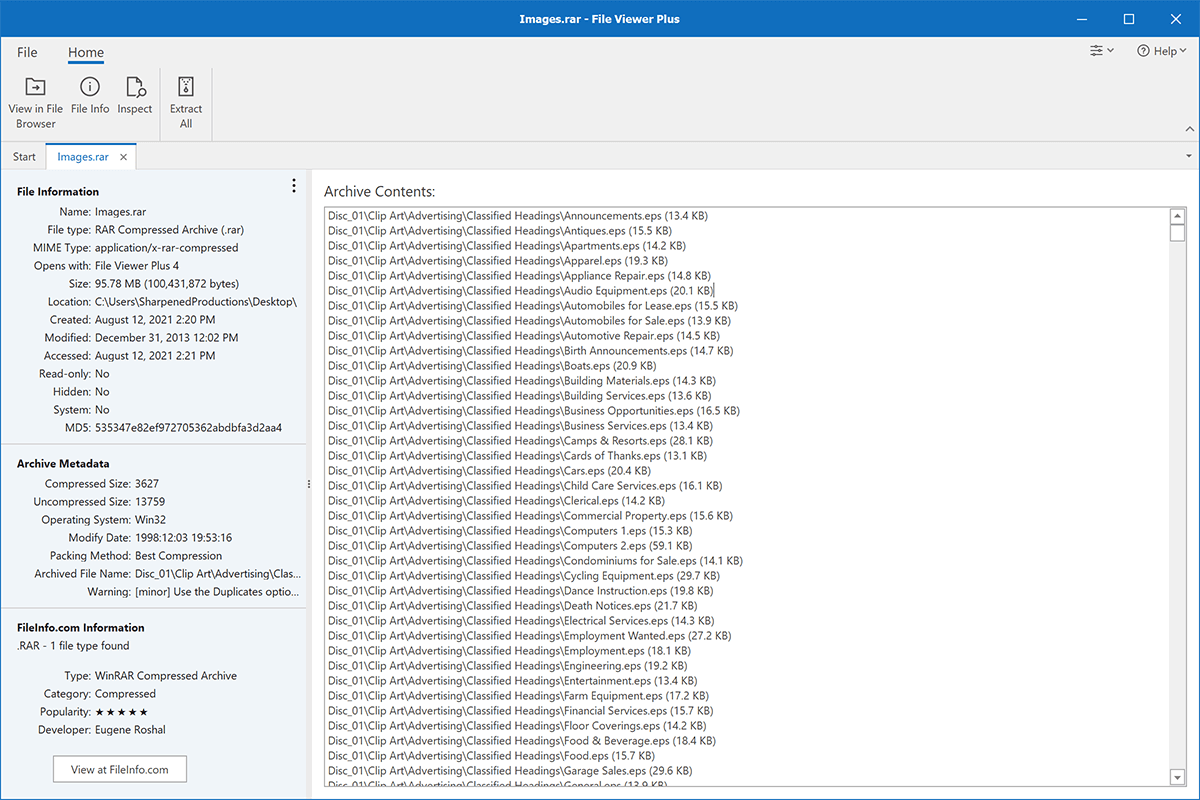
What is an .RAR file?
RAR files are archives that store one or more files compressed with RAR compression. Users typically create RAR files with WinRAR, a Windows program used to compress files to reduce the size of files for transportation or storage purposes. The RAR format was first introduced in the mid-1990s with the initial release of WinRAR and has since become a popular compression format along with ZIP and 7Z.
RAR files often store large files, such as a video or camera raw file or a collection of files. You may acquire a RAR file via email from a coworker or friend looking to share large or numerous files. Or you may download content in a RAR file from a website. File Viewer Plus is an excellent option for extracting its contents regardless of how you acquire a RAR archive.
Learn more about RAR files at FileInfo.com →About File Viewer Plus
File Viewer Plus is the universal file viewer for Windows. Why pay for dozens of programs when you only need one? Install File Viewer Plus, and you'll be able to open over 400 file types with a single app.
You can also edit, save, print, and convert your files. Unknown file on your PC? No problem. The app's advanced file identification can recognize over 10,000 file formats, including files with incorrect or missing extensions.
See all supported file types →