Open TSV files with File Viewer Plus
Do you need to open a TSV file?
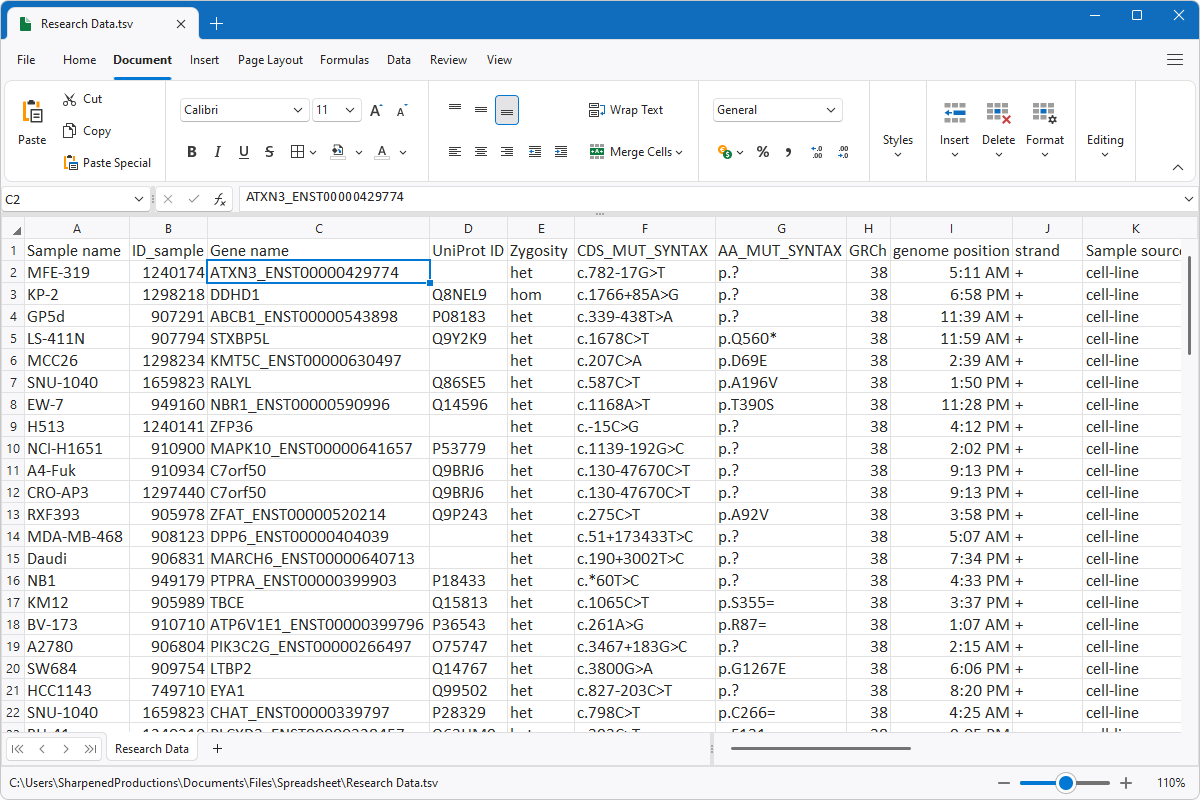
File Viewer Plus can open TSV (Tab Separated Values) files. It includes a professional-quality spreadsheet editor similar to Microsoft Excel and allows you to convert TSV files to XLSX and XLS spreadsheets.
Open TSV files without Microsoft Excel. Try File Viewer Plus for free today!
What is a .TSV file?

TSV files store text and number data in plain text, with each line in the file representing a data record consisting of one or more fields separated by tabs. The files are similar to the more common CSV files, which separate data fields with commas instead of tabs. People often use TSV files to transfer data between databases and programs, such as Microsoft Access and Microsoft Excel.
You may acquire a TSV file in various ways. For example, you might receive a TSV file as an email attachment from a coworker or friend sharing data, or you may export data from a database and import it into a spreadsheet program. While many programs can open TSV files, File Viewer Plus allows you to modify the data with various tools similar to those provided by Microsoft Excel. You can also convert TSV files to XLSX, XLS, or CSV formats.
Learn more about TSV files at FileInfo.com →About File Viewer Plus
File Viewer Plus is the universal file viewer for Windows. Why pay for dozens of programs when you only need one? Install File Viewer Plus, and you'll be able to open over 400 file types with a single app.
You can also edit, save, print, and convert your files. Unknown file on your PC? No problem. The app's advanced file identification can recognize over 10,000 file formats, including files with incorrect or missing extensions.
See all supported file types →