Open TXT files with File Viewer Plus
Do you need to open a TXT file?
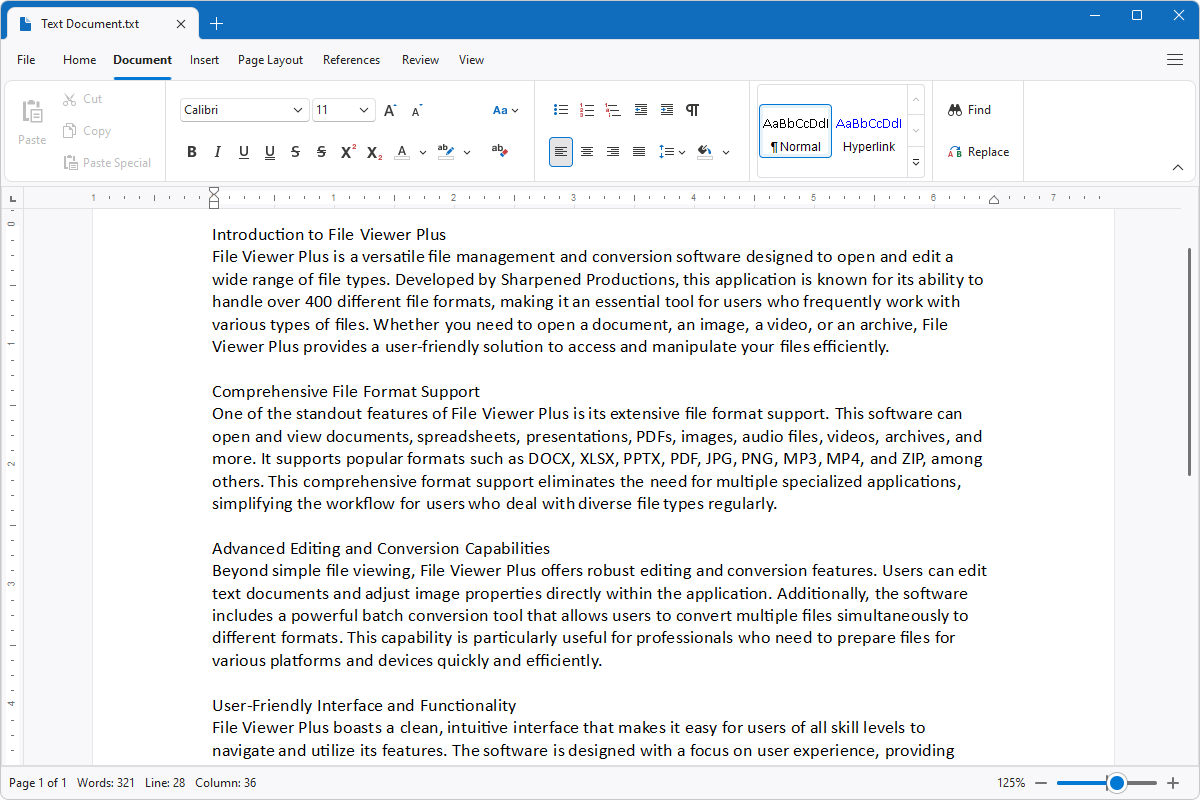
File Viewer Plus can open plain text TXT files and includes a professional-quality text editor similar to Microsoft Word. It also allows you to save your TXT file in various formats, such as DOCX, DOC, PDF, and ODT.
Open, edit, save, and convert TXT files with our easy-to-use text editor. Try File Viewer Plus for free today!
What is a .TXT file?

TXT files are plain text documents created by various text editors, including Microsoft Notepad, Microsoft Wordpad, and Apple TextEdit. The files are helpful for storing simple documents, such as notes and instructions, without any special formatting.
You may encounter a TXT file in various ways, including when a coworker shares meeting notes or a downloaded program packaged with instructions for using the software. Many programs can open the TXT file, but File Viewer Plus provides helpful tools for editing the text. The program can also save and convert the file to other formats, such as DOCX, DOC, PDF, ODT, and EPUB.
Learn more about TXT files at FileInfo.com →About File Viewer Plus
File Viewer Plus is the universal file viewer for Windows. Why pay for dozens of programs when you only need one? Install File Viewer Plus, and you'll be able to open over 400 file types with a single app.
You can also edit, save, print, and convert your files. Unknown file on your PC? No problem. The app's advanced file identification can recognize over 10,000 file formats, including files with incorrect or missing extensions.
See all supported file types →