Open VSS files with File Viewer Plus
Do you need to open a VSS file?
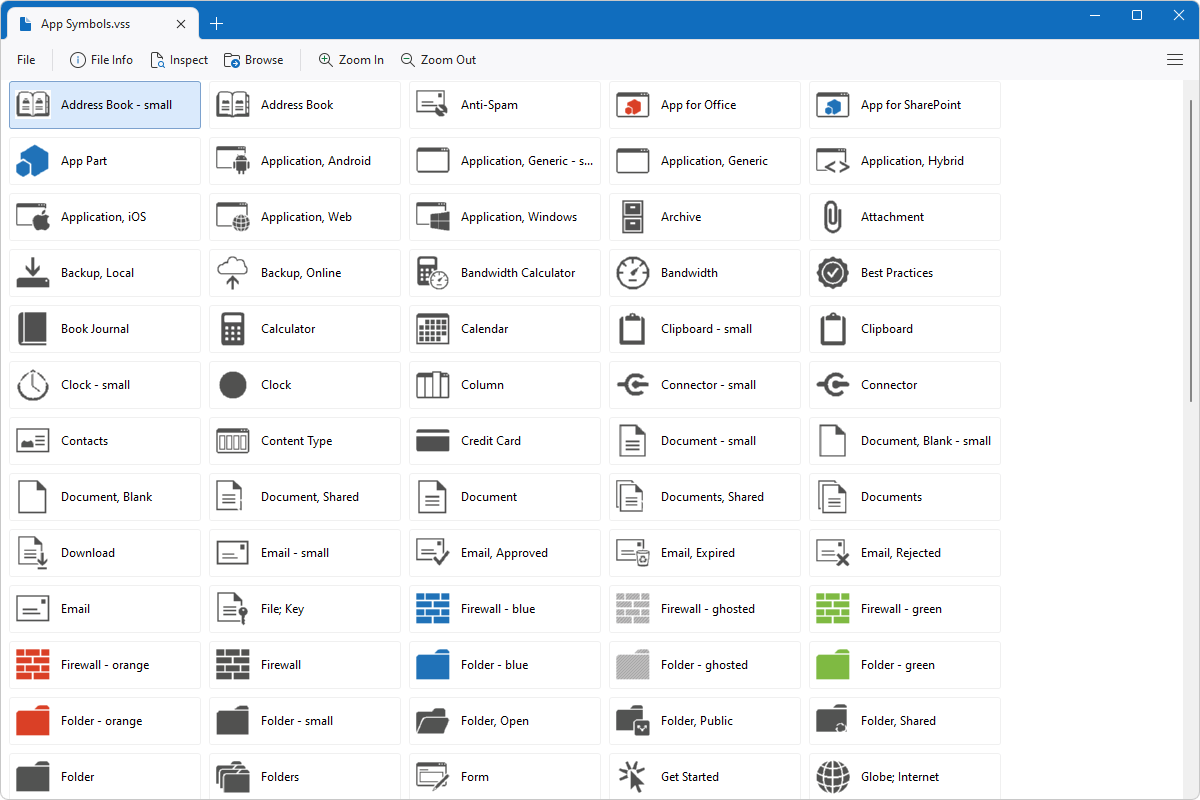
File Viewer Plus can open VSS (Microsoft Visio Stencil) files. It allows you to select and view each stencil stored in the file.
Open VSS files without Microsoft Visio. Try File Viewer Plus for free today!
What is a .VSS file?

VSS files are stencil files that store one or more shapes, objects, or connectors that users can add to a drawing created in Microsoft Visio. When users create and save custom stencils, Visio stores them in a VSS file. Then, when a user wants to add stencils in the VSS file to their drawings, they can open the VSS file in Visio and import the stencils. Some examples of these stencils include arrows, circles, or boxes.
You will most likely only encounter a VSS file if you are looking to import custom stencils into your technical drawing, whether it be a flowchart or another type of diagram. If you download a VSS file or receive it as an email attachment from a co-worker, File Viewer Plus allows you to open and view the stencils in the VSS file.
Learn more about VSS files at FileInfo.com →About File Viewer Plus
File Viewer Plus is the universal file viewer for Windows. Why pay for dozens of programs when you only need one? Install File Viewer Plus, and you'll be able to open over 400 file types with a single app.
You can also edit, save, print, and convert your files. Unknown file on your PC? No problem. The app's advanced file identification can recognize over 10,000 file formats, including files with incorrect or missing extensions.
See all supported file types →