Open VSSX files with File Viewer Plus
Do you need to open a VSSX file?
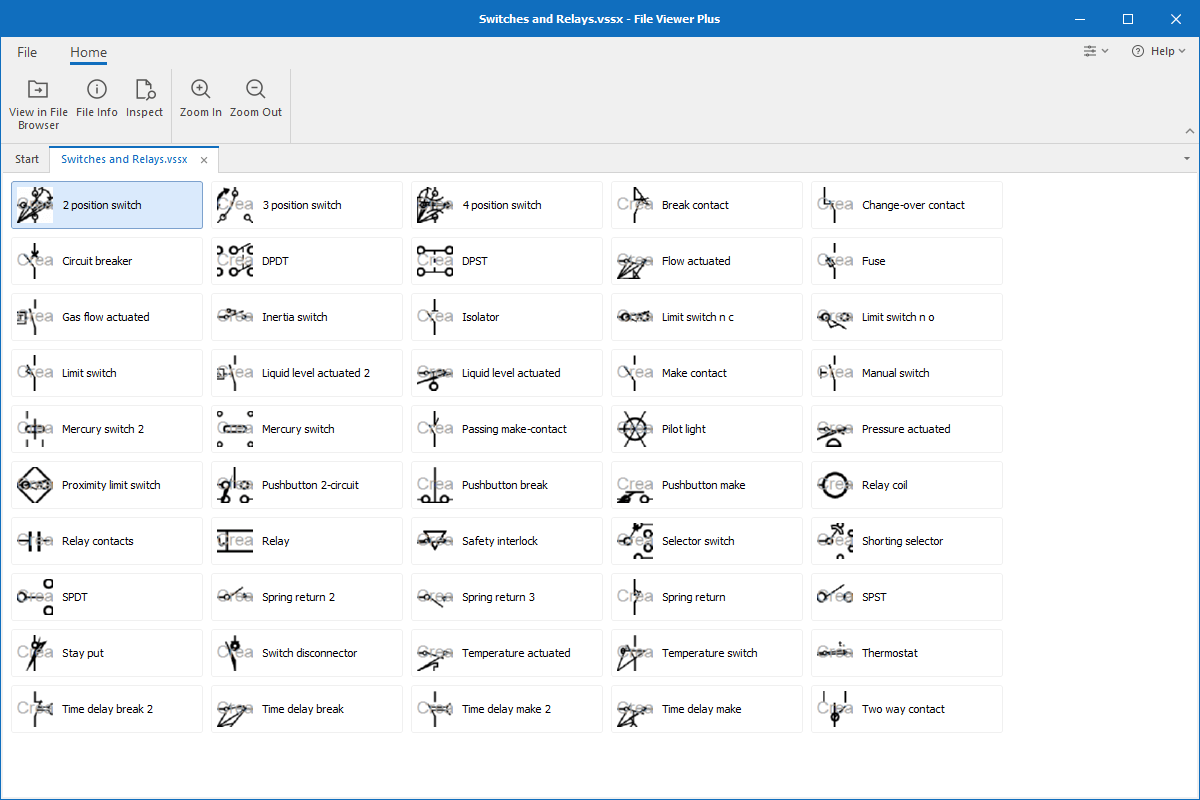
File Viewer Plus can open VSSX (Microsoft Visio Stencil) files, allowing you to select and view each stencil stored in the file. You can also convert VSSX files to JPG, PNG, and PDF formats.
Open VSSX files without Microsoft Visio. Try File Viewer Plus for free today!
What is a .VSSX file?

VSSX files are stencil files created by Microsoft Visio (2013 or later). The VSSX format was introduced with the release of Visio 2013, replacing the binary VSS format as the primary file format for storing Visio stencils. A file stores one or more custom stencils, which may be objects, shapes, or connectors that can be added to a Visio drawing.
Since the Visio program is typically used to create technical drawings, such as process diagrams and flowcharts, you will most likely only encounter the VSSX file in a business setting. You may receive VSSX stencils attached to emails from co-workers or download VSSX stencils from the Internet. With File Viewer Plus, you can open and view the stencils contained in a VSSX file.
Learn more about VSSX files at FileInfo.com →About File Viewer Plus
File Viewer Plus is the universal file viewer for Windows. Why pay for dozens of programs when you only need one? Install File Viewer Plus, and you'll be able to open over 400 file types with a single app.
You can also edit, save, print, and convert your files. Unknown file on your PC? No problem. The app's advanced file identification can recognize over 10,000 file formats, including files with incorrect or missing extensions.
See all supported file types →