Open WPD files with File Viewer Plus
Do you need to open a WPD file?
File Viewer Plus can open WPD (WordPerfect Document) files and includes a full-featured document editor to view, edit, and format their contents. You can also save WPD documents in other formats, including PDF, ODT, and DOCX.
Open, edit, and convert WPD files without Corel WordPerfect. Download the free trial of File Viewer Plus today!
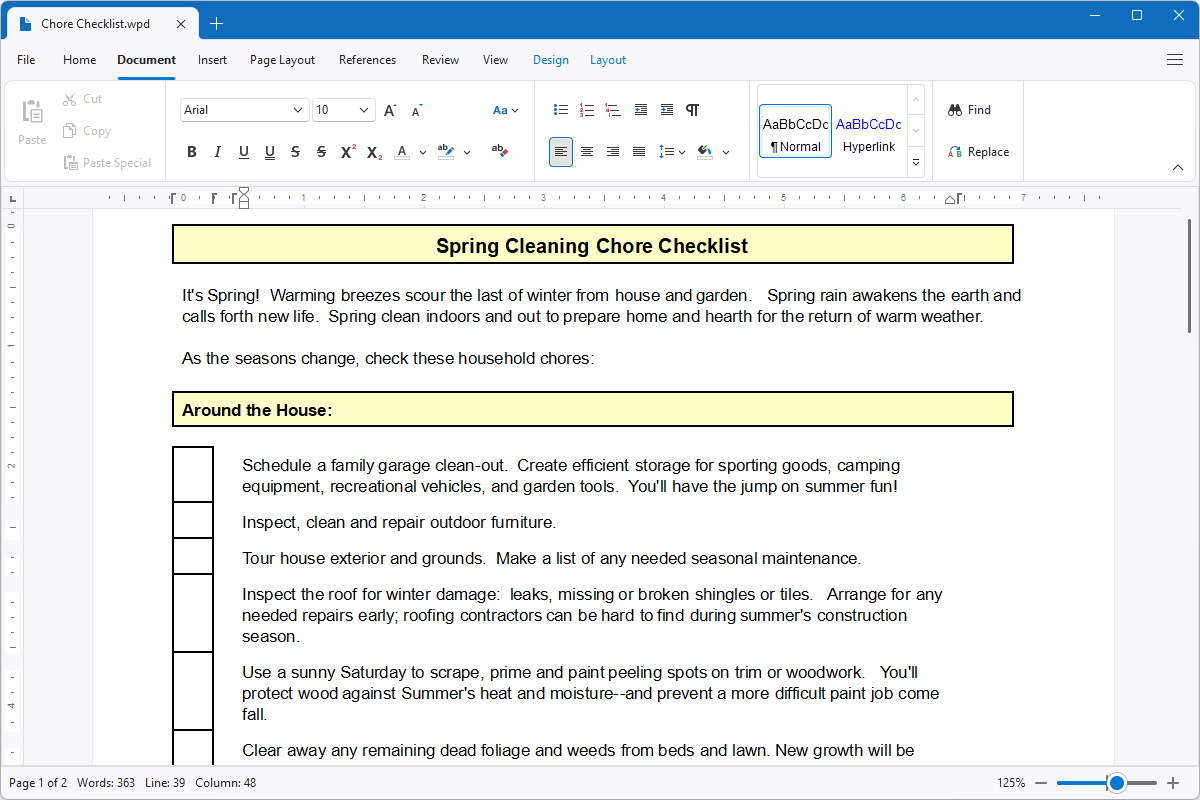
What is a .WPD file?

WPD files are word processing documents created by Corel WordPerfect, a program used to write, edit, and format documents. They can contain text, images, tables, page layouts, and other formatting elements used in letters, reports, contracts, legal documents, and business correspondence. WordPerfect was especially popular in the 1980s and 1990s, before Microsoft Word became the dominant word processor, and it remains in use in some legal and professional environments.
You may encounter WPD files when accessing older business documents, reviewing legal records, recovering files from an archived computer, or receiving documents from organizations that still use WordPerfect. You may also find them in collections of historical documents and backups from older Windows systems. File Viewer Plus can open, edit, save, and print WPD files, and convert them to more widely supported formats, such as DOCX and PDF.
Alternate file extensions: .wp, .wp5, .wp6
Learn more about WPD files at FileInfo.com →About File Viewer Plus
File Viewer Plus is the universal file viewer for Windows. Why pay for dozens of programs when you only need one? Install File Viewer Plus, and you'll be able to open over 400 file types with a single app.
You can also edit, save, print, and convert your files. Unknown file on your PC? No problem. The app's advanced file identification can recognize over 10,000 file formats, including files with incorrect or missing extensions.
See all supported file types →